




When a guest's drawing is turned into artwork with AI, credits are deducted from your account's AI credits. You see your balance on the AI Credits card on the Dashboard; the number of credits a style uses is shown in the style creation window; and you cap the maximum number of credits an event can spend with the Event Credit Limit.
This guide covers AI Drawing Screen 2.2.2. Available controls may vary by platform and version; platform-specific limitations are noted below.
- You must be signed in to the app.
Step by step
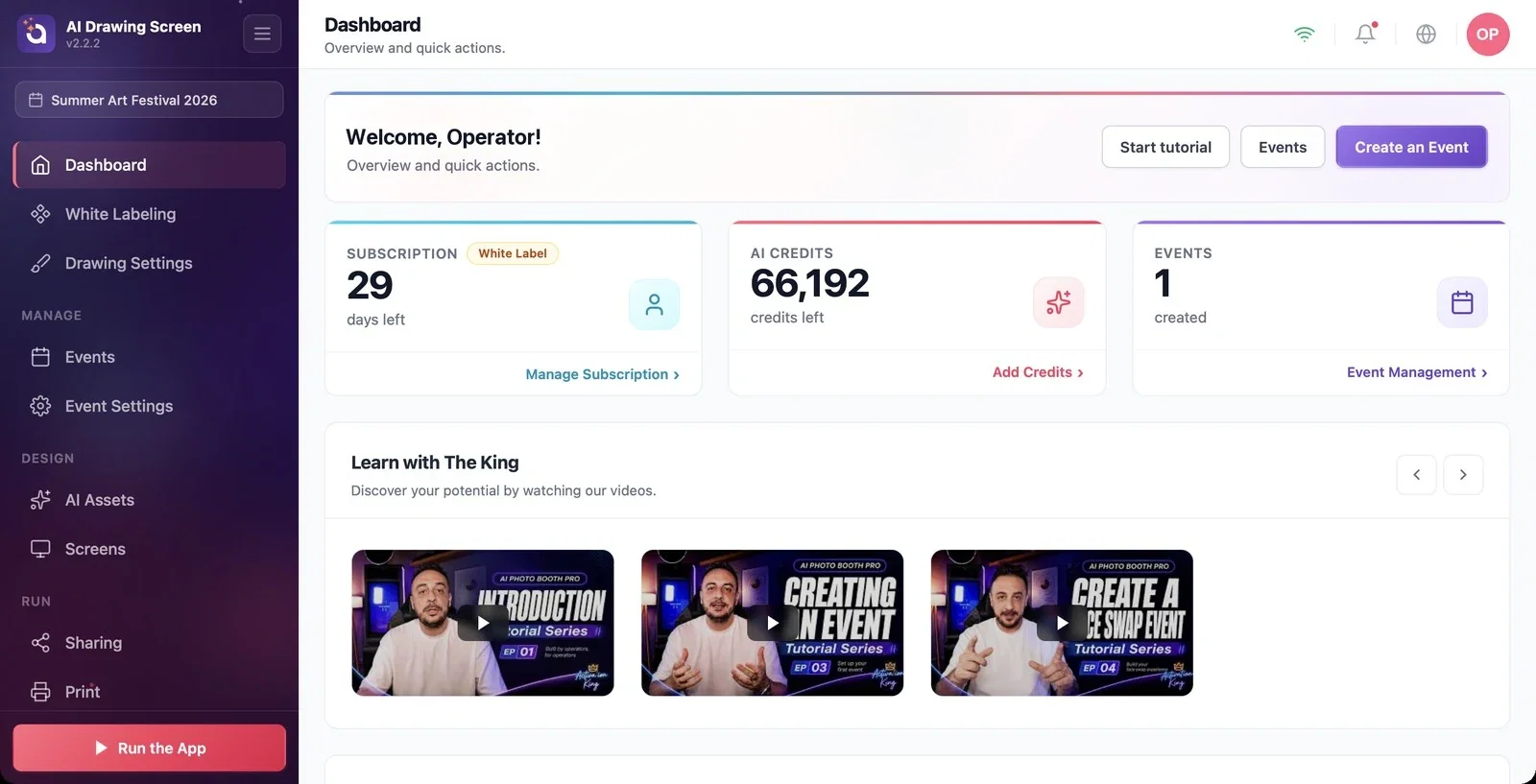
Step 1 · Check your balance and add credits
Dashboard → AI Credits
The AI Credits card on the Dashboard shows your remaining credits. To add credits, click the Add Credits link at the bottom of the card, or Add AI Credits in the profile menu at the top right.
Step 2 · How many credits does a drawing use?
AI Assets → Create New
Each AI generation uses credits based on the model and resolution the style uses. The cost appears in the badges at the top of the style creation window (e.g., 'Nano Banana 2.1' — 6 credits, ~17 s); higher resolution uses more credits. This many credits are deducted when the guest finishes the drawing and the artwork is generated. If Drawing Settings → Use AI result is off, AI is not used and no credits are spent.
Step 3 · Set a per-event limit
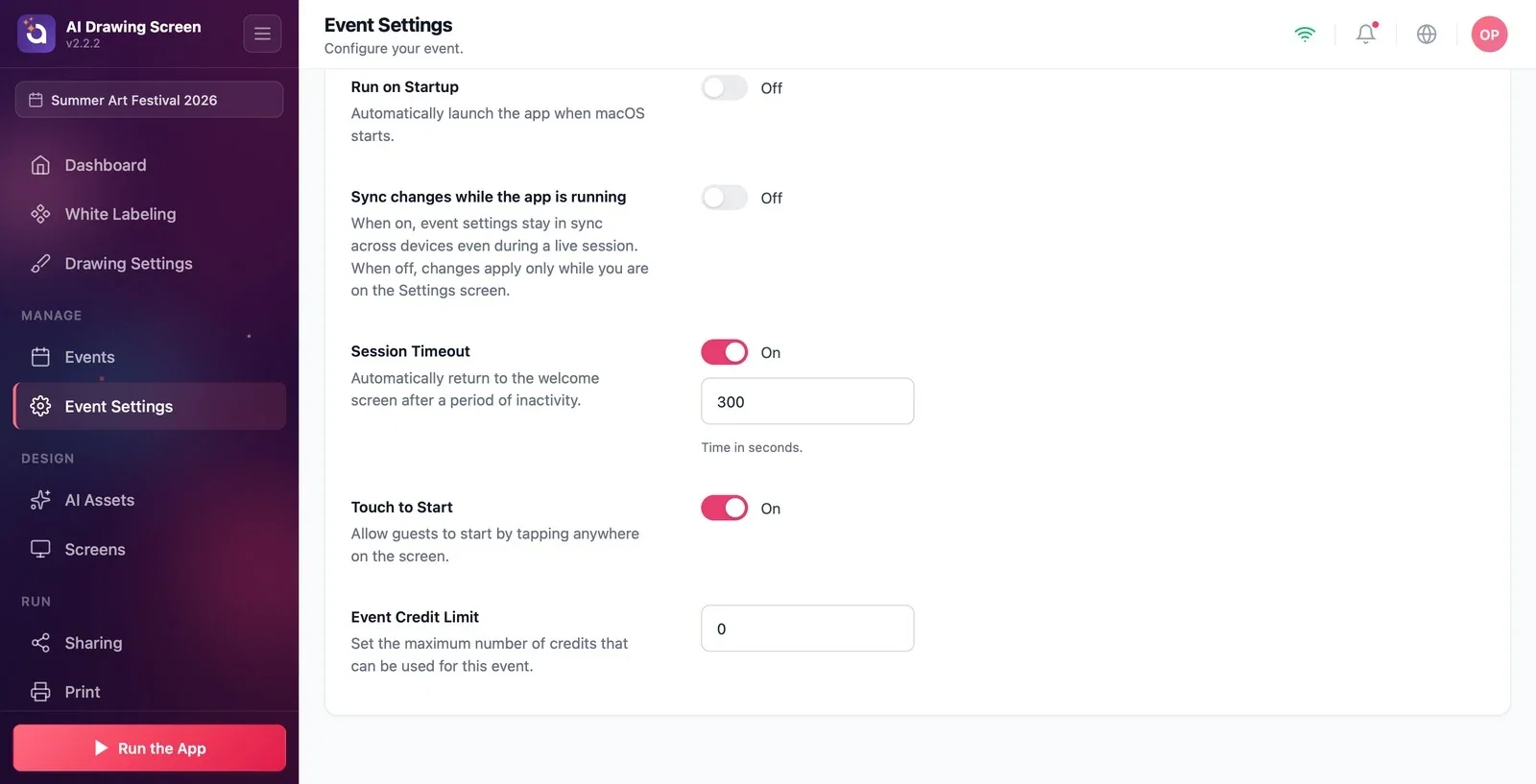
Event Settings → Kiosk → Event Credit Limit
Enter the maximum number of credits an event can spend in the Event Credit Limit box; 0 means no limit. The credits spent are also shown on the event card on the Event Management page. When the limit is reached, a guest who touches the welcome screen sees the message This event has used all of its credits. Please let the staff know. under the title Drawing is paused and cannot start a new drawing; once you raise the limit, the flow continues on the next touch.
With the same model and resolution, drawings × credits per generation gives an initial budget estimate. It is not a guaranteed drawing count; allow for style changes, repeat generations and sync delays between multiple kiosks.
Check your balance before the event; if credits run out in the middle of the event, guests can't get their artwork.
Mistaking the Event Credit Limit for your balance — the limit only caps this event's spending.
Not counting test generations — the tests you run while creating a style also use credits.
Related topics
Kiosk SettingsCreating a Custom StyleDashboard