
A support ticket is a tracked conversation with the Activation King team for anything the live chat could not resolve on its own. Every ticket keeps its full history so you never have to repeat yourself.
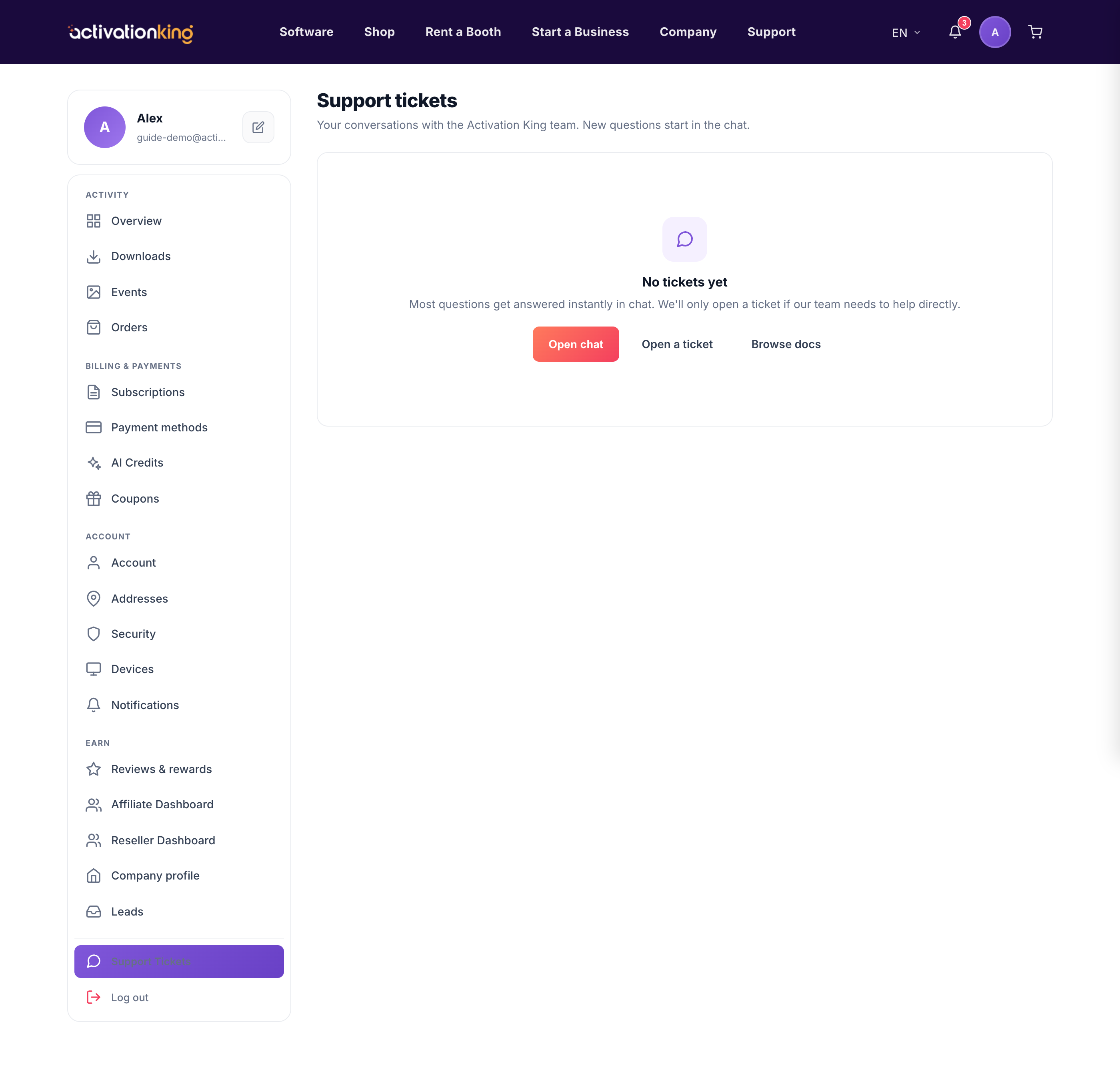
How a ticket starts
- From chat: if The King escalates your question, or you click Talk to a human, a ticket is created automatically with your chat transcript attached.
- Directly: go to Dashboard → Support tickets and click Open a ticket.
Open a ticket
- Go to Dashboard → Support tickets and choose Open a ticket.
- Enter a clear Subject and describe the issue in Details.
- Attach any screenshots or a short screen recording; a screenshot typically gets your issue solved about three times faster.
- Submit. Your ticket appears in the list with a status.
Track and reply
Your tickets are listed under Dashboard → Support tickets, each with a status: Open, Pending, Resolved, or Closed. Open a ticket to read the thread and reply. When our team responds, you receive an email and an in-app notification, so you do not need to keep checking.
Good to know: most questions never need a ticket, they are answered instantly in live chat; a ticket is for when our team needs to help you directly.
