
The Subscriptions page is the home for every plan you have with Activation King. From here you can see the status of each plan at a glance and take action without digging through menus.
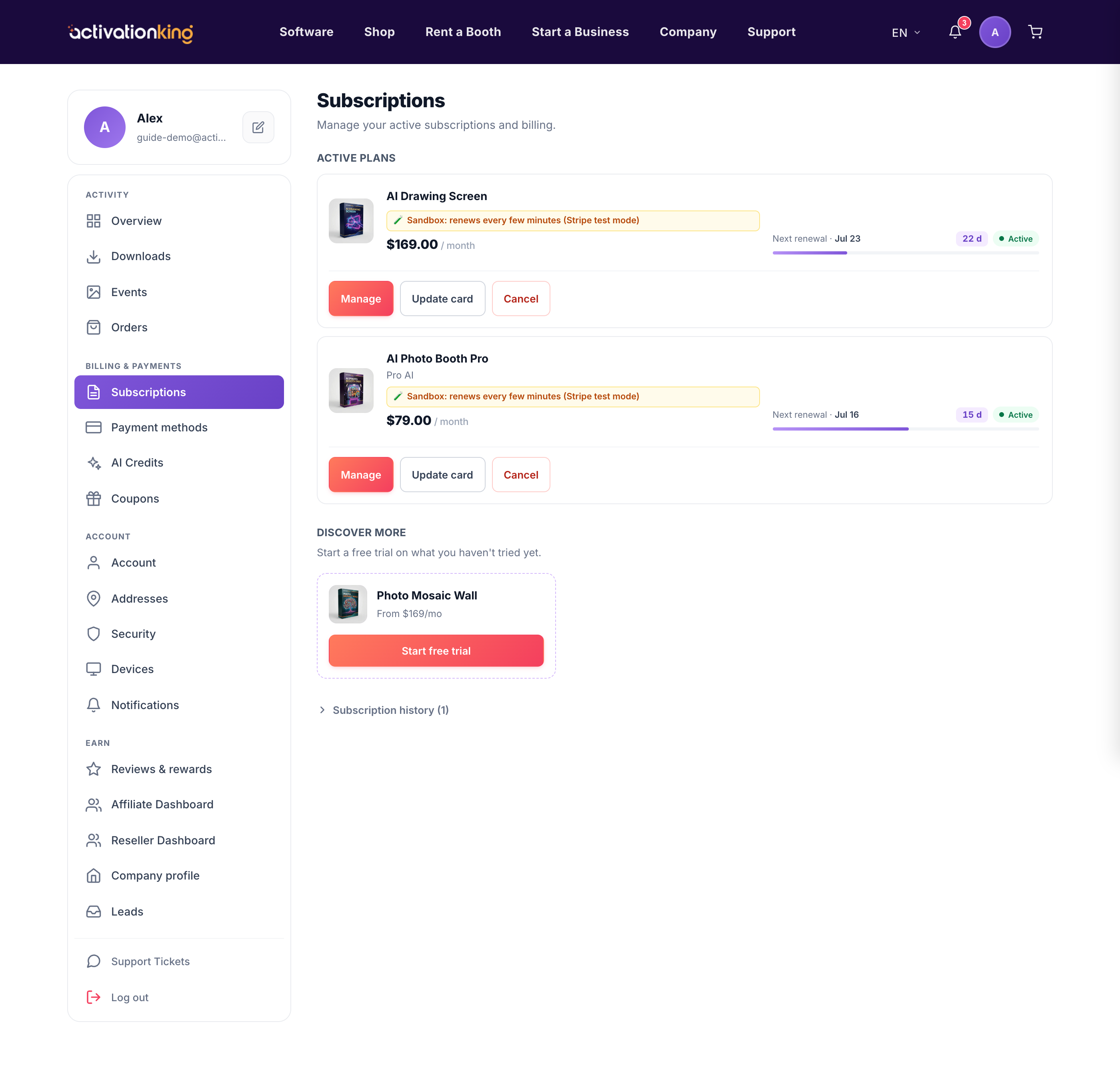
Go to Dashboard → Subscriptions. Each plan appears as its own tile showing a status badge, its price, and the next renewal date. Right on the tile you can:
- Manage the plan, which opens its full details.
- Update card to change the card used for that plan.
- Cancel the plan when you no longer need it.
If a payment is past due, the tile turns amber and prompts you to update your card, so your access is not interrupted.
Working with a plan
- Open Dashboard → Subscriptions.
- Find the plan you want to work with.
- Use Manage, Update card, or Cancel as needed.
Good to know: open a plan to go deeper; from its details you can change tier, adjust seats, or see exactly which devices are using it.
