
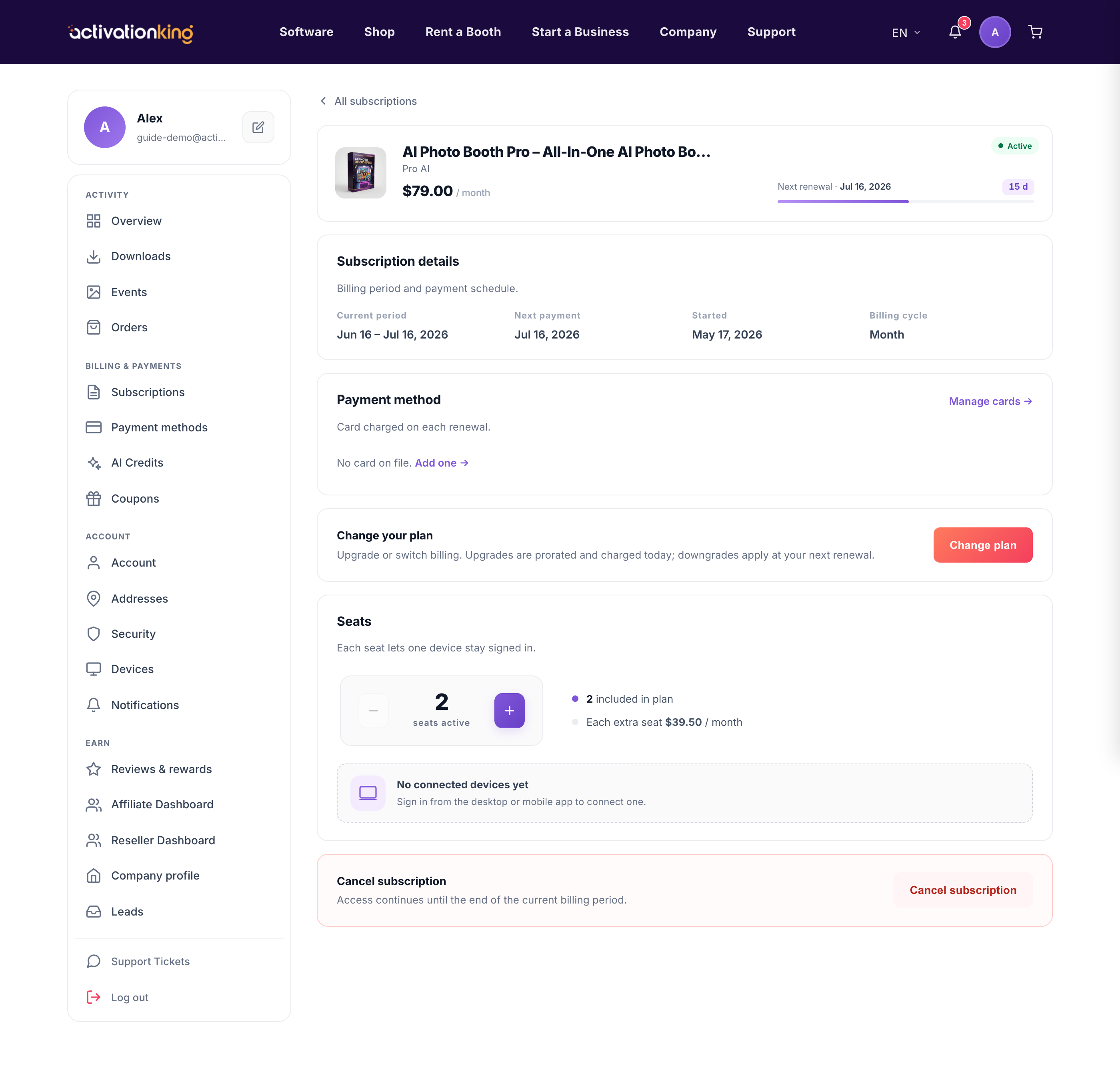
Seats control how many devices can run the app at the same time on your plan. Every subscription includes 2 seats, and you can adjust that number as your team or event schedule grows.
How seat changes are billed
- Adding a seat is charged immediately and prorated on your saved card, so you pay only for the time left in the current period.
- Removing a seat is scheduled for your next renewal, with no refund for the current period.
Changing your seats
- Open the plan from Dashboard → Subscriptions.
- Find the seats section on the detail page.
- Choose add and confirm the prorated charge, or choose remove to schedule fewer seats from your next renewal.
Good to know: to see which devices are using your seats, check the connected devices listed on the same page and disconnect any you no longer need to free them up.
