
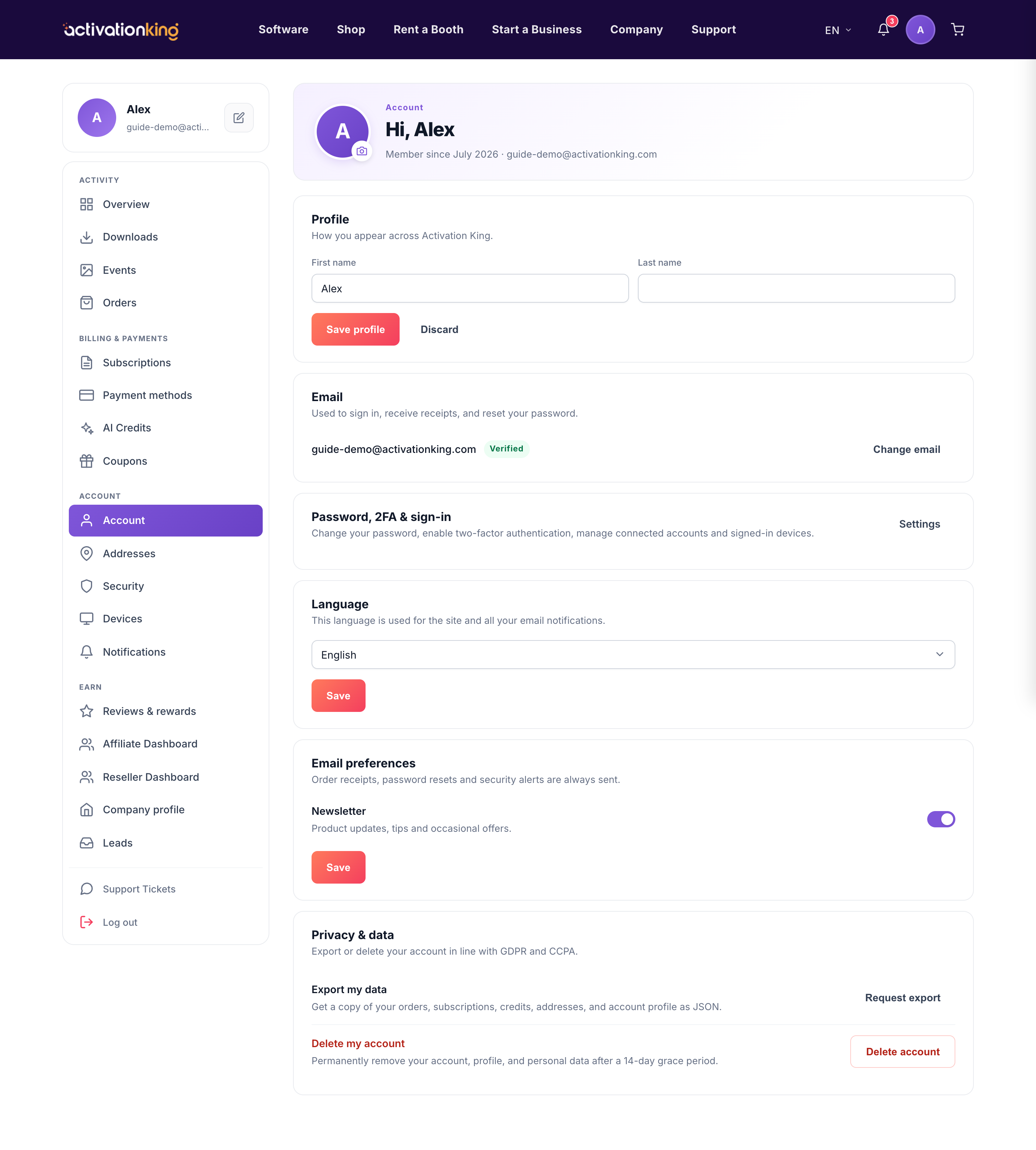
Account settings is where you manage your personal details and preferences: your name, email address, language, which emails you receive, and your privacy and data choices.
Profile
Edit your name so it appears correctly across your dashboard and communications.
Email address
Change the email address on your account. You must enter your current password, and the new address only goes live after you confirm it from its own inbox, so a simple typo can never lock you out.
Language
Pick your language, and both the site and the emails we send you switch to it.
Email preferences
Transactional emails such as receipts are always on. Product news, tips, and promotions are optional toggles you can turn on or off anytime.
Privacy and data
Export a copy of your data as a JSON file, or request account deletion, which completes after a 14-day grace period.
Make a change
- Go to Dashboard → Account.
- Open the section you need.
- Make your change and save.
Good to know: changing your language here also sets the language of the emails we send you, so everything stays consistent.
