
The Rent marketplace connects event customers who need a booth with operators like you. Once your business is listed, incoming requests land in your dashboard, and you decide which ones to pursue.
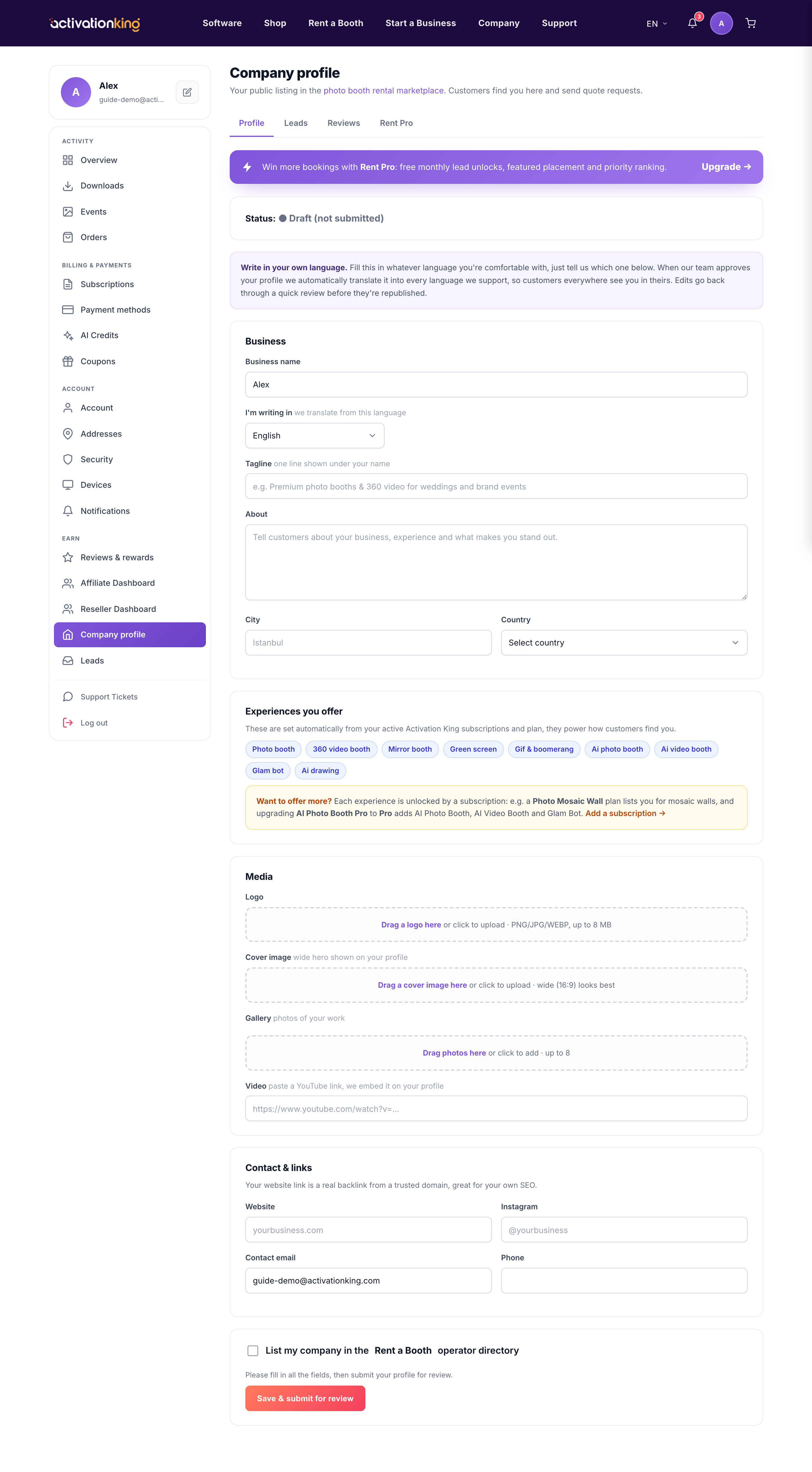
Here is how it works: first you create and publish your company profile; once it is approved you are listed publicly; customers who need a booth submit lead requests; you unlock a lead to see the details and contact the customer; then you reply with a quote. Unlocking uses credits, or it is free within your monthly quota if you are on Rent Pro.
- Complete and submit your company profile so you are eligible to appear in the Rent marketplace.
- Wait for approval. After review, your listing is published publicly and can start receiving requests.
- Watch Dashboard → Leads for incoming requests from customers who need a booth.
- Open a request and click Unlock to reveal the customer's details and contact information. This uses credits, or a free unlock from your monthly allowance if you are on Rent Pro.
- Reply with a clear quote to win the booking.
Good to know: responding quickly with a clear quote wins more bookings, since customers often reach out to several operators at once. Rent Pro gives you a monthly allowance of free lead unlocks, which lowers your cost per booking if you work the marketplace regularly.
