
Auto-refill keeps you from running out of AI credits in the middle of an event by topping up your balance automatically. Instead of watching your wallet, you set it once and let it top you back up whenever you run low.
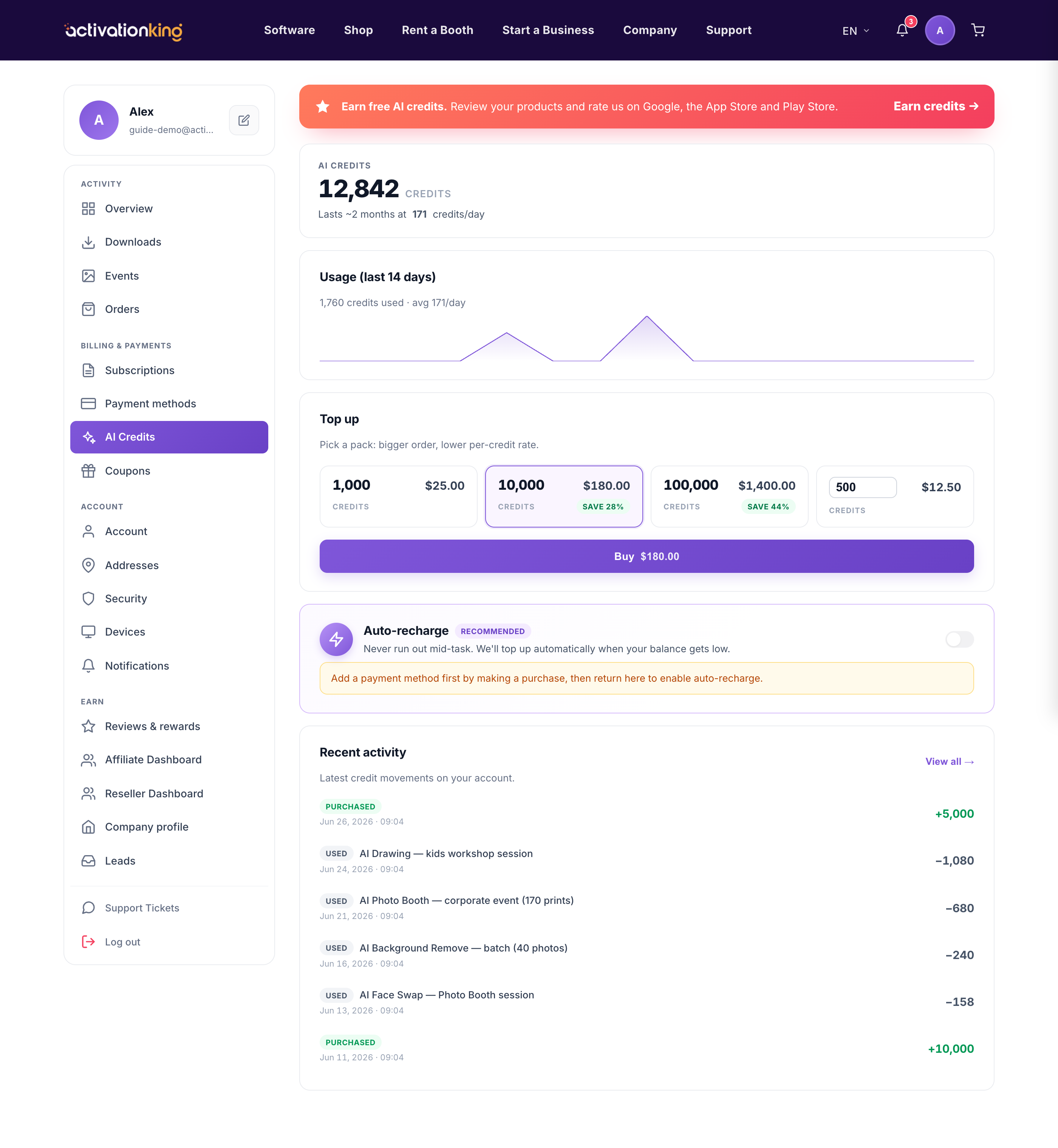
On the AI Credits page, find the Auto-recharge card. It works by watching your balance: whenever it drops below the threshold you set, we automatically charge your saved card to top you back up by your chosen amount. Auto-refill is off by default, and you need a saved card first, so make one purchase to add a card before you turn it on.
Turn on auto-refill
- Open Dashboard → AI Credits.
- In the Auto-recharge card, switch it on.

- Set the amount to add for each top-up, then set the low-balance threshold that triggers it.
- It now runs automatically; whenever your balance falls below the threshold, your saved card is charged and your credits are topped up.
You can change the amount and threshold, or disable auto-refill entirely, at any time from the same card.
Good to know: set the threshold high enough to cover a full event, so a busy day never interrupts your AI features while a top-up is processing.
