
La page de détail d'un abonnement vous donne une vue complète d'un forfait précis et de toutes les actions que vous pouvez y effectuer. C'est l'endroit où vous vous rendez pour apporter des modifications, plutôt que pour simplement consulter l'état.
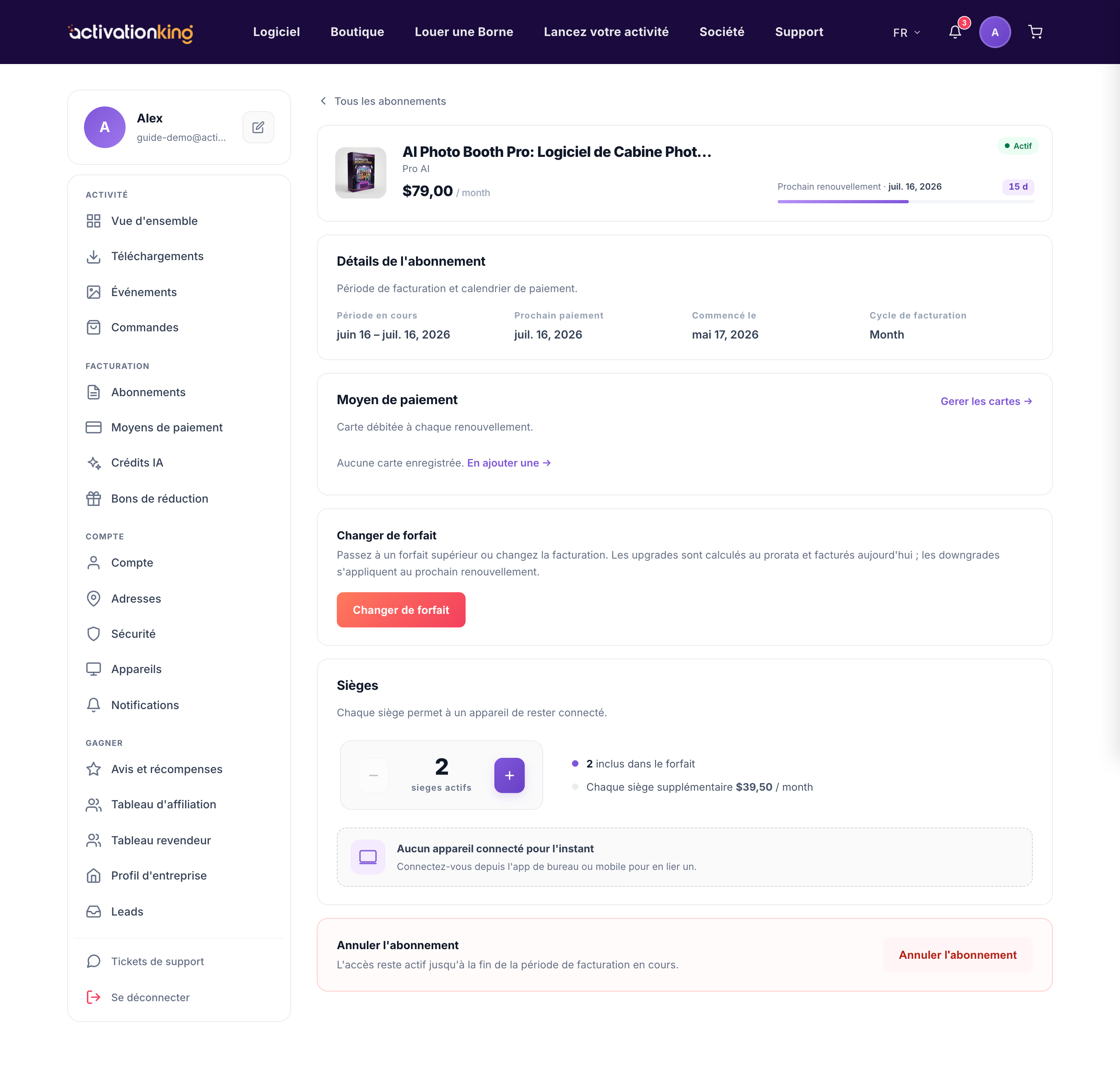
Ouvrez-la depuis Tableau de bord → Abonnements en choisissant un forfait. La page affiche :
- Le nom du forfait et son prix.
- La période de facturation en cours et la prochaine date de facturation.
- Les sièges inclus et les sièges utilisés.
- Les appareils connectés au forfait.
De là, vous pouvez changer de forfait, ajouter ou retirer des sièges, mettre à jour la carte ou annuler via la zone sensible en bas de la page. Si un paiement a échoué, une action Payer maintenant apparaît afin que vous puissiez récupérer votre accès immédiatement.
Utiliser la page
- Ouvrez le forfait depuis votre liste d'abonnements.
- Passez en revue les détails pour confirmer que vous êtes sur le bon forfait.
- Utilisez l'action dont vous avez besoin, qu'il s'agisse de changer de niveau, d'ajuster les sièges, de mettre à jour votre carte ou d'annuler.
Bon à savoir : la section des sièges répertorie les appareils exacts qui utilisent le forfait, ce qui vous permet d'en déconnecter un pour libérer un siège dès que vous en avez besoin ailleurs.
