
Rebrand the entire product as your own — the app name, logos and domain — so neither you nor your guests ever see "AI Photo Booth Pro" anywhere. This is one of two menu items available before an event is selected.
◆
This page requires Ultimate
Without an Ultimate plan you see an upgrade banner instead of the controls.
Three tabs
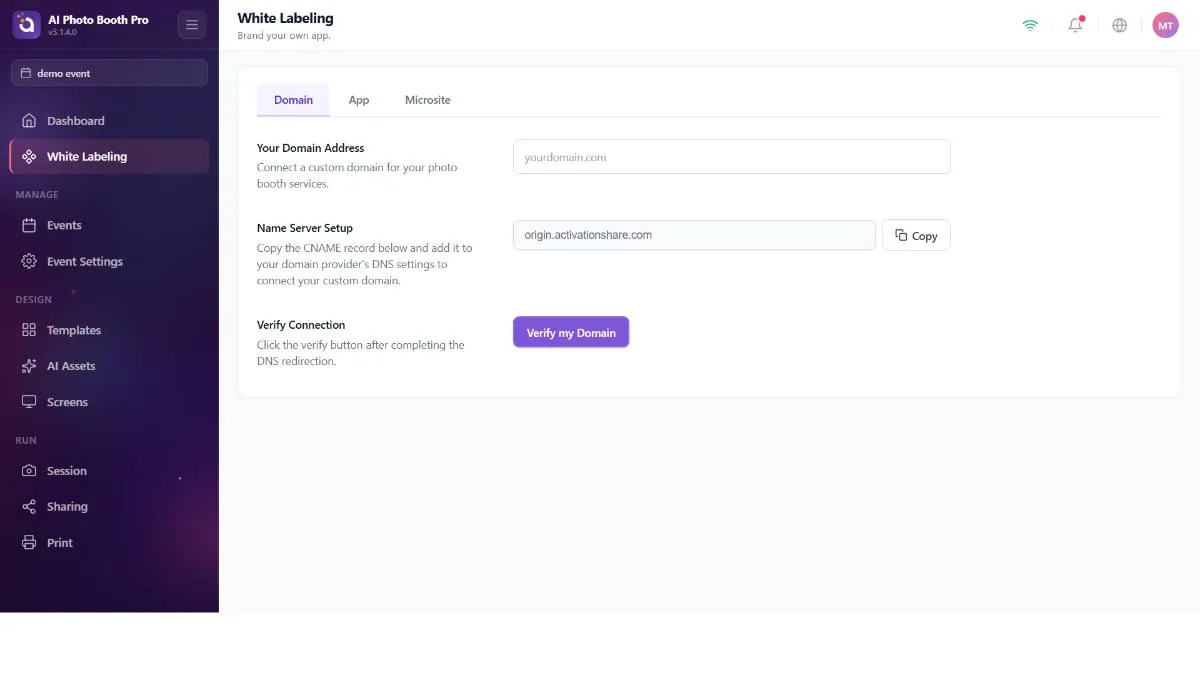
- App
- A master Enable White Label toggle, App Name (default "AI Photo Booth Pro") and two logos — a horizontal App Logo and a square logo for the sidebar/avatar — each with a restore option.
- Domain
- Custom domain configuration for your branded links.
- Microsite
- Account-level micro-site branding (separate from the per-event override on the Sharing tab).
</>
Behind the scenes — where branding shows up
Changing the logo spreads to the sidebar, the login screen and the app pages. The app name is remembered even for the pre-launch splash; so your custom name appears before the interface fully loads — the next time the app starts.
!
Colors use the shared color control
The appearance colors here use the same solid/gradient color control found elsewhere in the app (a primary color, an optional second color and a gradient type); so branding stays consistent across screens.
