
Download and Install
Click here to download AI Photo Booth Pro or other Activation King products.
Click the Download Trial button for AI Photo Booth Pro. A popup will appear; enter your name and email address, then click Download Free Trial.
After submitting the form, the available download options will appear. Choose the file that matches your operating system.
Once the download is complete, open the file, launch the installer, and follow the on-screen instructions.
Activating the Free Trial
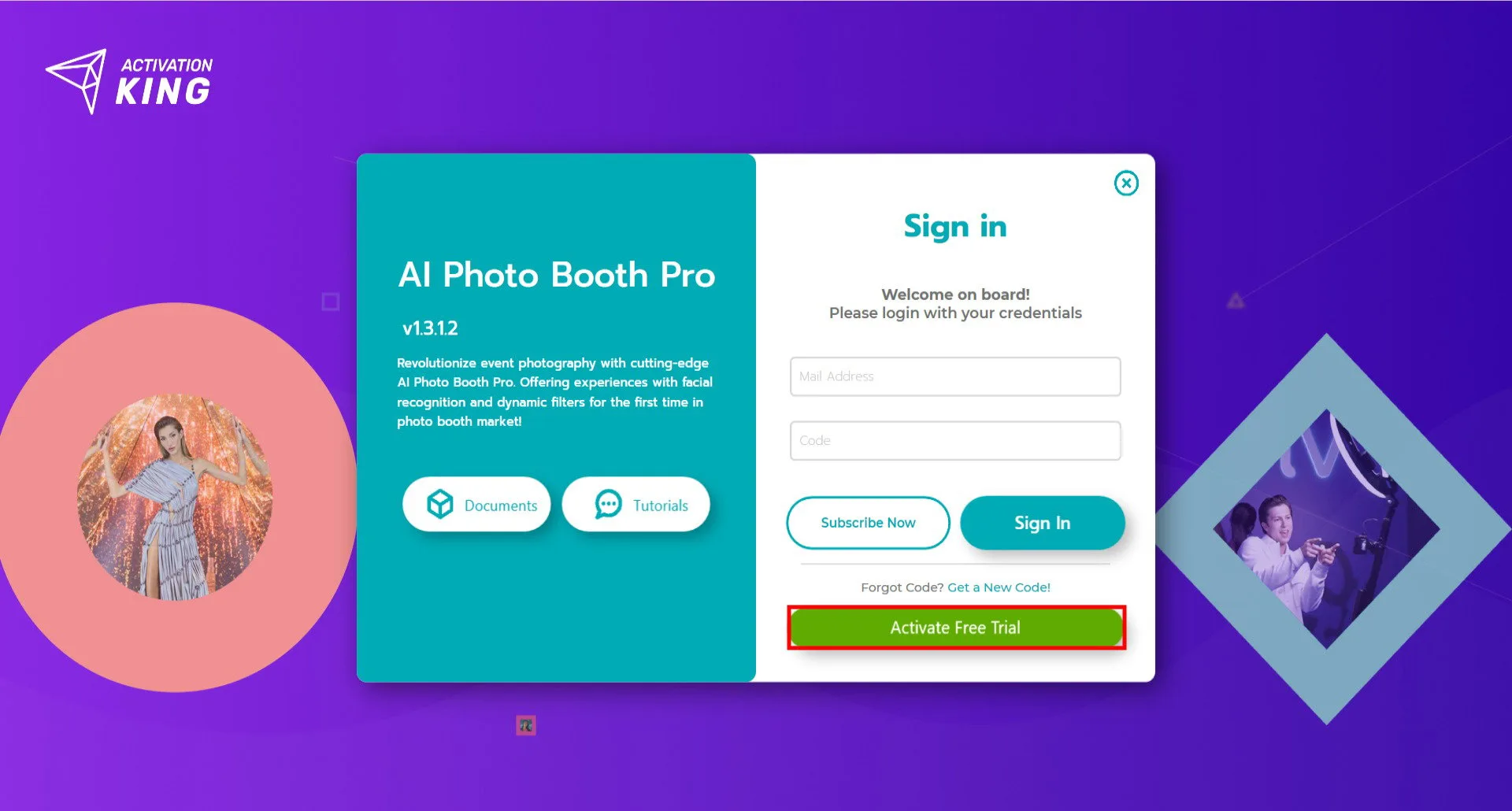
Open the software and click Activate Free Trial.
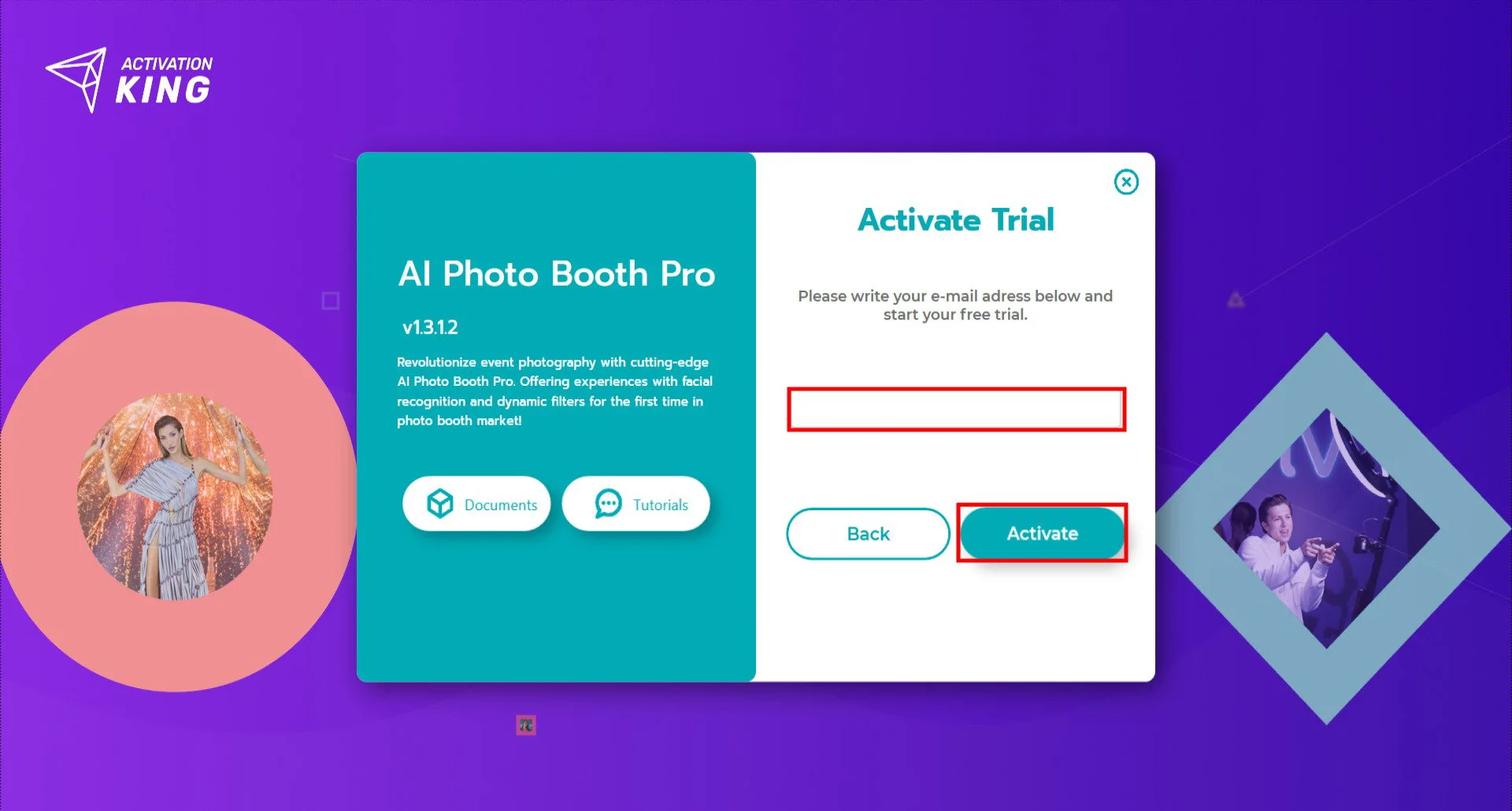
Enter your email address and click the Activate button. A license code will be sent to the email address you entered.
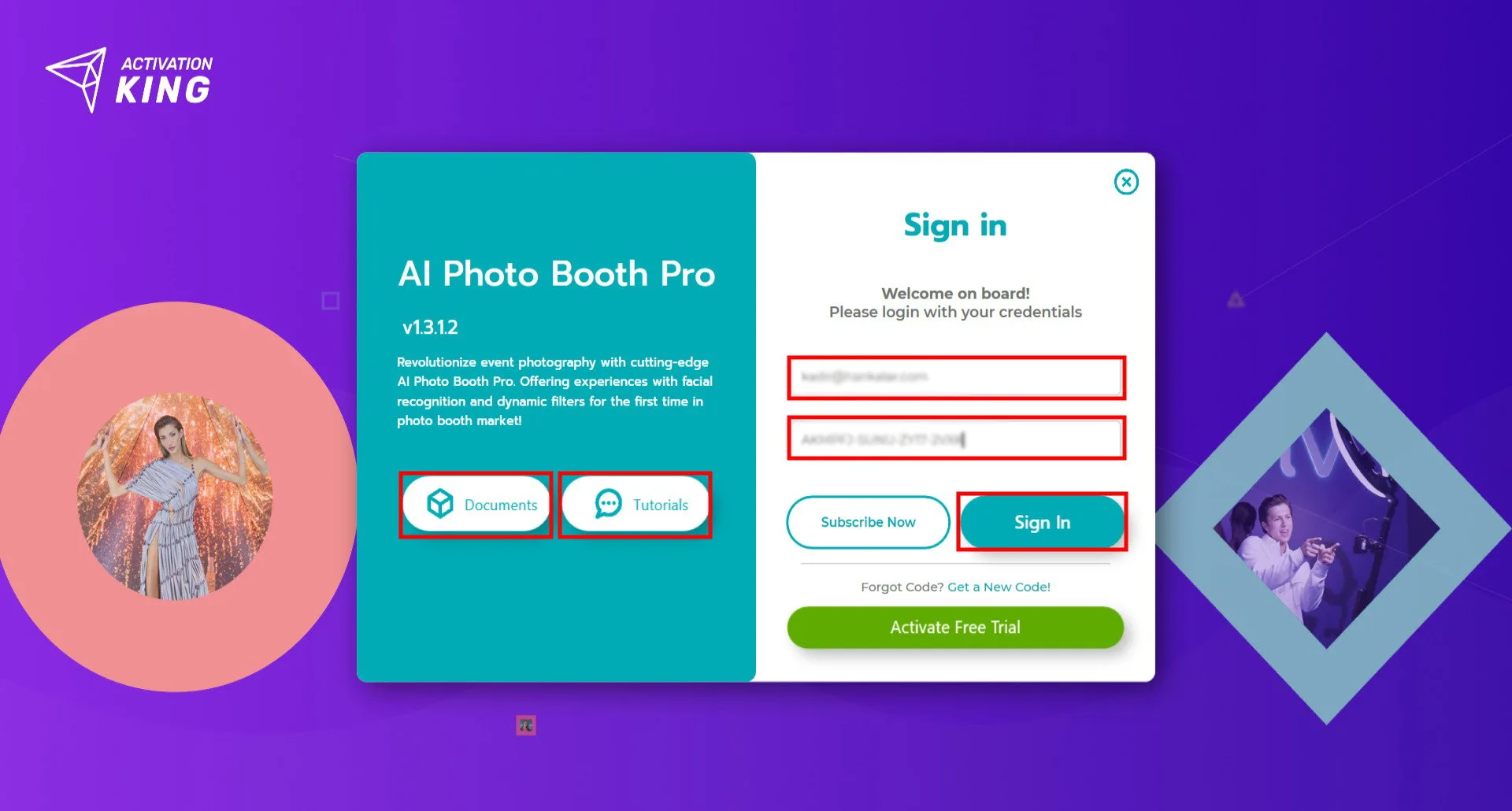
Enter your email address and the license code you received, then click Sign In to access your account.
You can also browse the documentation and tutorial videos first by using the buttons on the left side before signing in.
Trial Usage
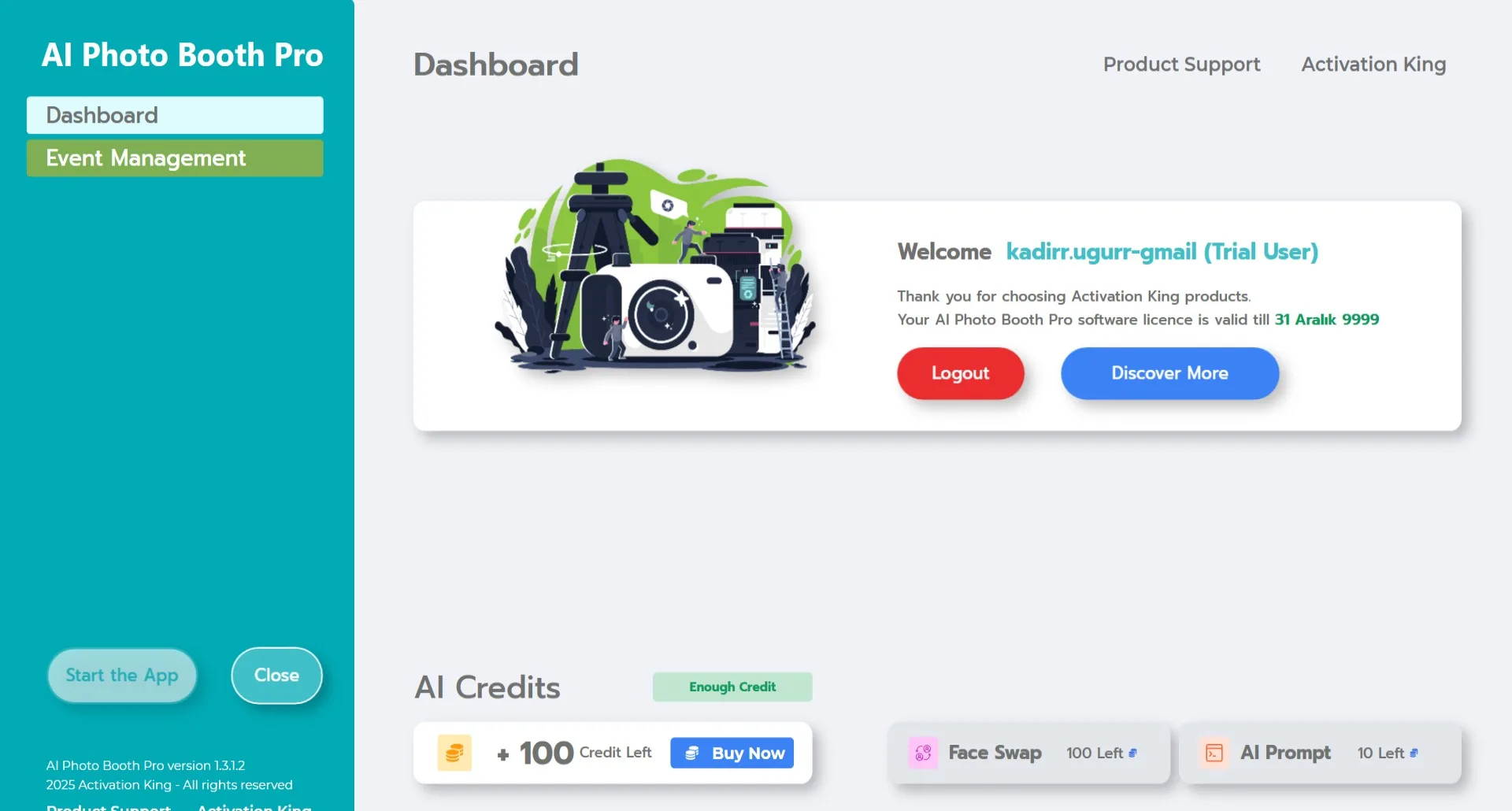
You can use all features of the trial version without any limitations.
AI-powered modes consume credits, so we provide 100 free credits to help you explore and test the system.
If you need more, you can purchase additional credits from your dashboard or directly inside the software.
Each mode shows its credit cost inside the app when you select it.
