
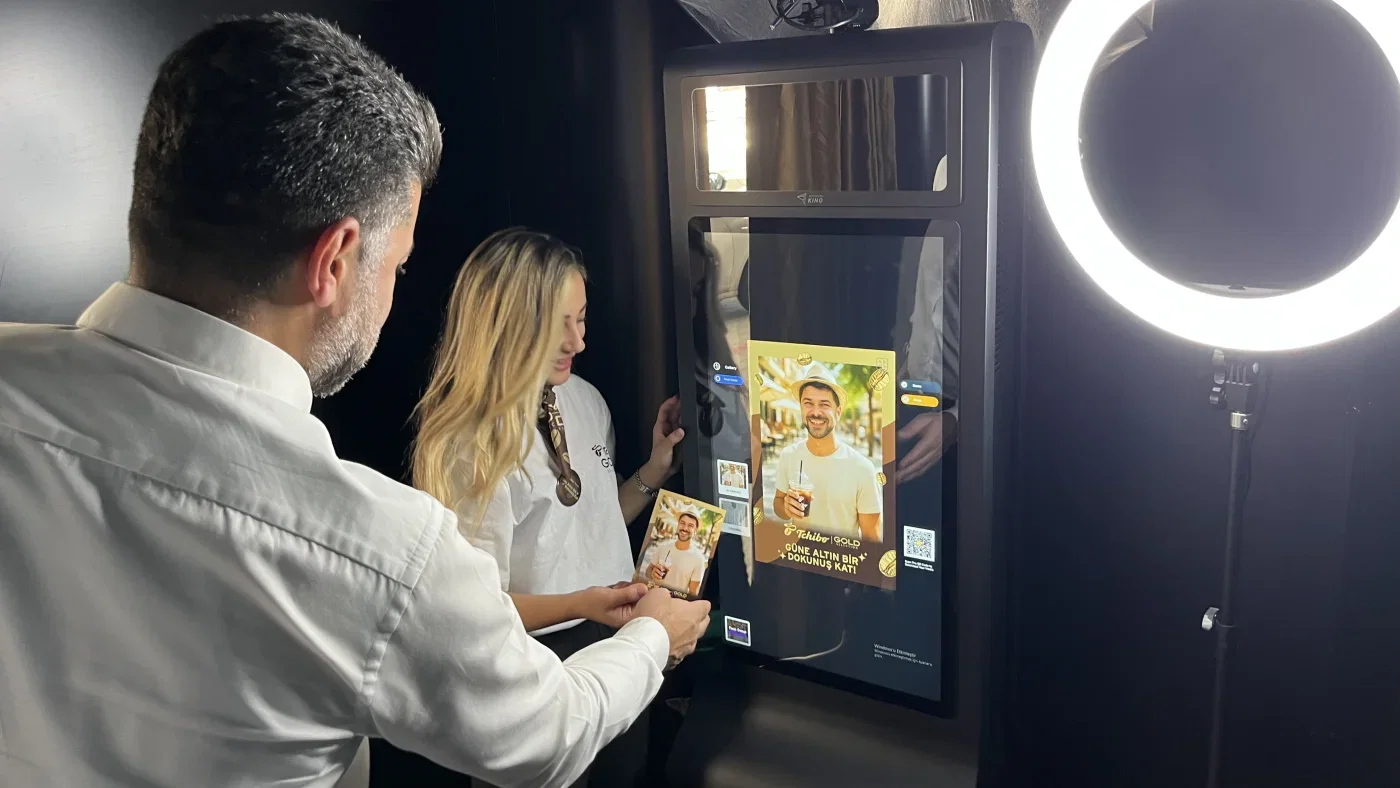
If you run a photo booth business, your software is the product. It decides what your guests experience, how fast you set up, how you share and print, and whether you can offer the AI and video modes clients now ask for by name. There are more options than ever, and the marketing all sounds the same.
This guide compares the photo booth software event pros actually use in 2026, honestly: what each one is great at, where it falls short, and who it is the right fit for. We build software in this space, so we have skin in the game. We have kept the comparison fair: every tool here is a genuinely good choice for the right operator.
The most AI plus every capture mode in one cross-platform app, with a 14-day free trial and no credit card.
How we compared
We ranked on the things that change your bookings and your night, not spec-sheet trivia:
- AI and creative modes: generative AI effects, face swap, and how modern the output looks.
- Capture modes in one app: photo, GIF and boomerang, video, 360, mirror, slow motion.
- Platform: Windows, macOS, iPad and iOS, Android, and DSLR or mirrorless support.
- Ease and setup speed: how fast a non-technical operator gets running.
- Sharing and prints: email, SMS, QR, AirDrop, social, physical prints, galleries.
- Pricing and value: entry price, what is included, trial terms.
- Support and business tools: real human support, device management, lead capture.
Quick verdict: best for each kind of operator
| If you want | Pick |
|---|---|
| The most AI and all modes in one cross-platform app | AI Photo Booth Pro |
| Mature DSLR workflows on Windows | dslrBooth / LumaBooth |
| The simplest iPad setup | Simple Booth |
| Premium AI for high-end brand events | Snappic |
| Video-first experiences | Curator |
| Lowest entry price | SparkBooth |
| Deep, scriptable customization | RightBooth |
The best photo booth software in 2026, ranked
AI Photo Booth Pro
Best overallAI Photo Booth Pro is AI photo booth software that runs every mode your clients ask for in one app: classic photo, GIF and boomerang, 360, GlamBot-style slow motion, mirror, and a deep generative-AI layer (50+ AI effects plus AI face swap). It runs on the gear you already bring, syncs across devices, has a built-in template editor, and captures leads at the booth. It is also part of an ecosystem (AI Drawing Screen and Photo Mosaic Wall are separate products for the same events).
- Widest AI + every capture mode
- Truly cross-platform (PC + tablet)
- 14-day trial, no card
- 3,000+ pros, 114 reviews, ~5.0
- Short learning curve
- AI runs on a credit model
dslrBooth / LumaBooth
The long-time desktop default (rebranded LumaBooth for Windows). Strong Canon, Nikon and Sony support, photo, video, GIF, boomerang, 360 and mirror modes, green screen, and a guest phone remote.
- Mature, proven DSLR workflow
- Runs on Windows and Apple
- Lighter generative AI
- More technical to set up
Simple Booth
iPad-based, famously quick to set up, clean and reliable. A great pick when you want minimal hardware and the simplest possible setup.
- Fastest, simplest setup
- Clean and reliable
- iPad-only
- Lighter on generative AI
Snappic
iPad software favored for upscale, large events: polished AI effects, custom overlays and instant social sharing.
- Polished AI for premium events
- Strong social sharing
- iPad-only
- Premium tiers get pricey
Curator
Video-centric: slow motion, face morphing, digital props and thousands of filter combinations, used in 90+ countries.
- Best-in-class video effects
- Used in 90+ countries
- Less about generative stills
RightBooth
Windows software with granular control and custom workflows, webcam, DSLR and GoPro support, 360 and slow motion, and newer AI features such as background replace, face swap and text-prompt edits.
- Scriptable, deeply customizable
- Webcam, DSLR and GoPro
- Hands-on to configure
TouchPix
A do-it-yourself booth app that runs across phones, tablets and PCs, with photo, GIF, boomerang and video, branded overlays and instant social sharing. A flexible, low-cost way to launch a booth on hardware you already own.
- Cross-platform DIY on your own devices
- Low cost to start
- Lighter on generative AI
- Less hand-holding to set up
SparkBooth
An affordable lifetime license ($149, or $189 for the DSLR edition), with photo and GIF capture, stickers, and third-party AI background removal. A solid pick for casual and smaller events on a budget.
- Lowest cost of entry
- One-time lifetime license
- AI is third-party only
- Basic feature set
Also worth a look: Darkroom Booth for legacy Windows and DSLR, and Fotomaster for software plus content and hardware.
At a glance
| Software | Generative AI | All modes in one app | Platforms | DSLR | Free trial | Entry price |
|---|---|---|---|---|---|---|
| AI Photo Booth Pro | Deep (50+ effects + face swap) | Yes | Win / Mac / iOS / iPad / Android | Yes | 14 days, no card | $49/mo |
| dslrBooth / LumaBooth | Light | Most modes | Win / iPad | Strong | Trial | From $17/mo |
| Simple Booth | Light | Partial | iPad | Limited | Trial | From $29/mo |
| Snappic | Yes | Partial | iPad | Limited | Trial | From $69/mo |
| Curator | Some | Video-first | Varies | Varies | Trial | $69-249/mo |
| RightBooth | Newer AI | Many modes | Windows | Yes | Trial | From $75 one-time |
| TouchPix | Light | Photo / GIF / video | iOS / Android / Win | Limited | Trial | Subscription |
| SparkBooth | Third-party only | Photo / GIF | Win / Mac | Yes | Trial | $149 lifetime |
How to choose (a 30-second framework)
- Do clients ask for AI by name? Prioritize AI depth: AI Photo Booth Pro, Snappic, RightBooth.
- What hardware will you carry? PC or any device: AI Photo Booth Pro, dslrBooth, RightBooth. iPad-only: Simple Booth, Snappic.
- One app for every mode, or a specialist? All-in-one: AI Photo Booth Pro. Video specialist: Curator.
- Budget vs growth? Lowest entry: SparkBooth. Most room to upsell premium experiences: AI Photo Booth Pro.
- Can you try before you buy? Favor a real free trial. AI Photo Booth Pro gives you 14 days with no card.
Shopping specifically for AI? See our best AI photo booth software 2026 guide, or the head-to-head comparisons: vs dslrBooth, vs Touchpix, vs Snappic.
Frequently asked questions
What is the best photo booth software in 2026?
For most operators who want AI plus every capture mode in one cross-platform app, AI Photo Booth Pro is the strongest all-in-one. The best choice depends on your hardware and clients: dslrBooth for DSLR workflows, Simple Booth for the simplest iPad setup, and SparkBooth for the lowest price.
Do I need a DSLR, or is a tablet or PC enough?
Both work. A DSLR gives the highest image quality, while modern AI booths run great on a PC or tablet with a webcam or phone camera. AI Photo Booth Pro supports both.
Which photo booth software has the best AI?
The AI-first tools lead here: AI Photo Booth Pro (50+ effects plus face swap) and Snappic, with RightBooth adding newer AI features. Legacy DSLR tools added AI later and tend to be lighter.
Is there free photo booth software?
Most professional tools are paid, but several offer trials. AI Photo Booth Pro offers a 14-day trial with no credit card so you can test it on a real event first.
How much does photo booth software cost?
Anywhere from a one-time license (for example RightBooth from $75, or SparkBooth at $149) to monthly subscriptions (from around $17 per month for dslrBooth up to $49 and beyond for premium tiers). Factor in what is included: AI, modes, devices, sharing and support.
Try it on your next event
AI Photo Booth Pro gives you AI, photo, 360 and GlamBot modes in one app, on the gear you already bring, with a 14-day free trial and no credit card.
