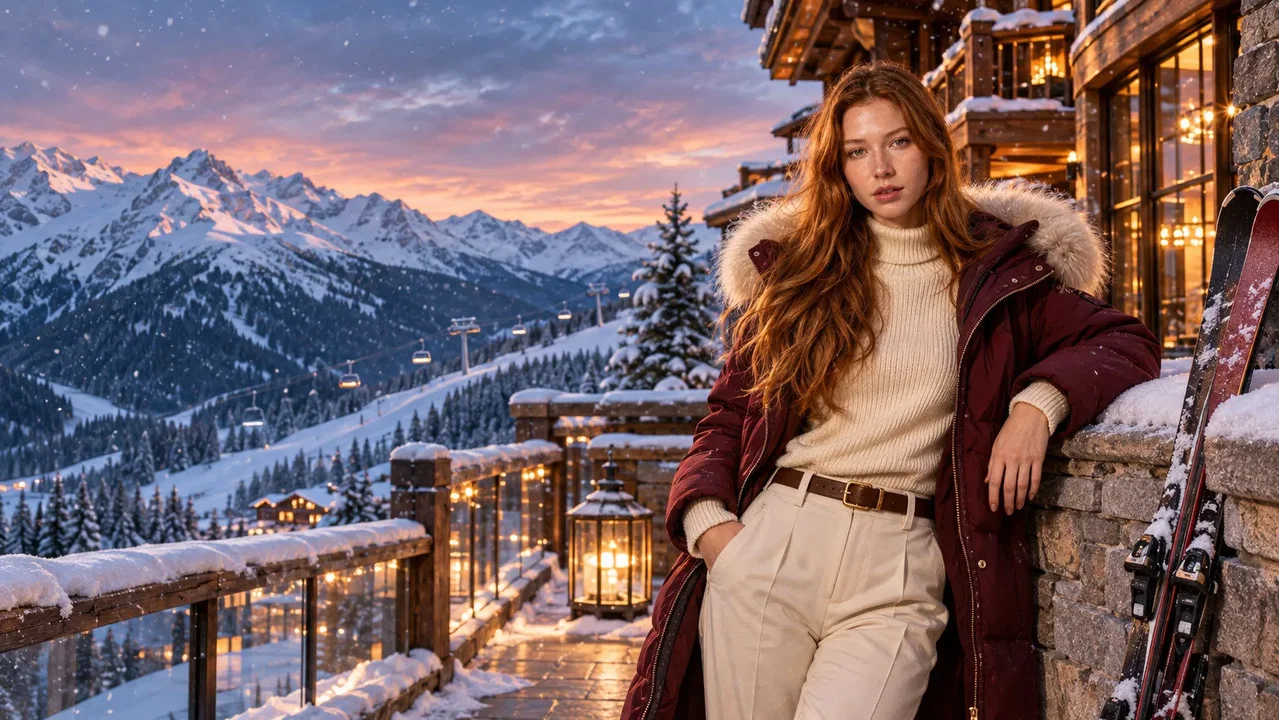
Open a scene to see the full prompt, the model it was tested with and how many guests it was tested with.
Mulled wine beside a heated pool, snowy peaks and a cinematic five-star après-ski evening.
Create an exceptionally realistic, cinematic luxury winter resort photograph featuring the exact people from the uploaded reference image.

HIGHEST PRIORITY — EXACT IDENTITY AND PEOPLE COUNT:
Use the uploaded photograph as the exclusive source of participant identity.

Identify the exact number of people in the source image.

The final image must contain exactly those original individuals and nobody else.

If the source contains one person, show exactly one person in the entire scene.

If the source contains multiple people, include only those specific participants.

Do not generate any additional hotel guests, spa visitors, staff, skiers, tourists, distant silhouettes, reflections of extra people or duplicated participants.

Preserve every participant’s recognizable identity with very high fidelity.

Maintain original facial structure, eye shape and spacing, eyebrows, nose, lips, cheeks, jawline, chin, natural skin tone, hairstyle, hairline, apparent age, gender presentation and subtle facial asymmetries.

Do not beautify, idealize, rejuvenate, reshape or reinterpret the faces.

The participants must look like the exact real people from the reference image, naturally photographed in a luxury winter setting.

CORE CONCEPT:
The original participants are enjoying a refined après-ski moment at an exclusive five-star Alpine resort.

They are standing or leaning casually beside a beautiful heated outdoor pool on a luxury spa terrace, holding elegant glasses of warm mulled wine.

They are not inside the pool.

The overall feeling is luxury winter lifestyle photography with a subtle cinematic mood and a stylish influencer/editorial aesthetic, like a premium celebrity or fashion-lifestyle social media post captured at a high-end mountain resort.

The image should feel aspirational, elegant, fashionable and highly shareable, while still remaining realistic and natural.

LUXURY ENVIRONMENT:
The location is an ultra-luxury Alpine ski resort terrace inspired by the finest mountain hotels in Courchevel and St. Moritz.

A beautiful heated outdoor pool is visible beside or behind the participants, with subtle steam rising naturally from the warm water.

The pool area features elegant natural stone, dark timber, refined architectural details and a visually stunning panoramic mountain setting.

A contemporary mountain chalet or luxury lodge stands nearby, with large glass windows glowing warmly from the interior.

Beyond the terrace, magnificent snow-covered Alpine peaks and pine forests stretch into the distance.

The scene takes place during late afternoon or early evening blue hour, with a subtle pink-golden sky over the mountains and warm ambient resort lighting creating an intimate cinematic atmosphere.

The setting must feel exclusive, tasteful, expensive and real.

Do not overcrowd the terrace with objects.

MAIN PARTICIPANT ACTIVITY AND POSE STYLE:
This is the most important creative change.

The participants should not stand in a stiff neutral pose.

They should have the body language of stylish luxury travel influencers or fashion-forward celebrities sharing an elegant winter resort moment.

Use relaxed, flattering, naturally confident body language.

For a single participant:
Create a strong influencer-style pose beside the pool, with the participant leaning lightly against a stone ledge, terrace edge or elegant outdoor surface.

Use a stylish posture:
- one shoulder slightly relaxed
- body turned slightly three-quarter toward the camera
- weight shifted naturally onto one leg
- the other leg relaxed, bent slightly or crossed subtly in front
- one hand holding the mulled wine glass at chest or waist height
- the other hand resting casually near the ledge, coat pocket, hip or thigh

The pose should feel effortlessly chic, relaxed and premium.

For multiple participants:
Use a luxury social-lifestyle group arrangement that feels natural but stylish.

They may stand close together beside the pool or around the terrace edge, each with a slightly different but equally flattering relaxed pose.

Some can lean lightly against the terrace edge.

Some may hold their drink elegantly at chest or waist level.

Some may angle their body slightly toward the camera, others slightly toward one another.

However, all faces must remain visible and recognizable.

Avoid a rigid side-by-side “group photo” feeling.

The group should feel like a candid but perfectly timed luxury social media moment.

FACIAL EXPRESSION AND GAZE:
Use soft, confident, relaxed expressions.

The vibe should be elegant and effortlessly cool.

A direct camera gaze is allowed and often desirable, but it should feel natural and confident rather than stiff.

Some participants may look slightly past the camera or toward a companion, but maintain visible facial angles.

Faces must remain clearly visible from frontal or gentle three-quarter angles.

No back-facing poses.

No extreme side profiles.

Avoid exaggerated laughter, overacting, blank stares or overly dramatic model expressions.

The facial mood should feel premium, fashionable and socially confident.

WARDROBE:
Dress the participants in elegant luxury après-ski winter clothing.

Use stylish premium winter coats, refined knitwear, elegant sweaters, tailored ski-resort layers and tasteful accessories.

Choose a sophisticated palette:
ivory, cream, camel, mocha, burgundy, forest green, charcoal, navy and soft alpine blue.

The outfits should feel expensive, tasteful, influencer-worthy and appropriate for a luxury mountain resort.

Keep all faces fully visible.

Do not cover important facial features with scarves, hats, sunglasses or heavy hoods.

Hair should remain naturally visible and recognizable.

CAMERA AND FRAMING:
Use the perspective of a high-end luxury lifestyle photographer.

Position the camera a few meters away from the participants, at natural eye level or slightly below eye level.

Use a realistic full-frame 50mm lens perspective.

Create a medium or medium-wide editorial composition.

Show the participants from approximately upper thigh or waist upward, depending on group size.

The composition should feel like a premium social media fashion-lifestyle image: flattering, clean, elegant and visually balanced.

Keep the faces clearly visible and detailed while also including the heated pool, warm architectural lighting and dramatic snowy mountain scenery.

Do not create an extreme close-up.

Do not place the nearest participant too close to the camera.

Avoid exaggerated perspective distortion or artificial wide-angle effects.

LIGHTING — CRITICAL:
Use beautiful mixed winter lighting.

Warm architectural light from the lodge and terrace gently illuminates the participants.

Subtle cool ambient light from the snowy environment and evening sky fills the shadows.

The heated pool and surrounding stone surfaces may reflect soft warm-cool contrast light naturally.

Keep the lighting cinematic but physically believable.

All faces must retain realistic skin tones and natural shadows.

Do not brighten faces independently from the environment.

Do not use artificial beauty lighting or over-retouched skin.

Avoid waxy skin, glowing cheeks, plastic facial rendering and synthetic perfection.

STEAM AND ATMOSPHERE:
A small amount of delicate steam may rise from the heated pool and from the warm drinks.

The steam should be subtle, elegant and realistic.

Do not let steam obscure the participants’ faces.

Allow a soft luxurious winter atmosphere, but keep the image crisp and photographic.

HIGH FACIAL IDENTITY FIDELITY:
Preserve each participant’s exact recognizable identity as closely as possible.

Maintain original face proportions, eye shape, nose, mouth, cheeks, jawline, hairline and distinctive facial characteristics.

Preserve authentic skin texture, natural pores, subtle under-eye details and realistic human asymmetry.

Do not generate generic attractive luxury-model faces.

Do not enlarge eyes, slim noses, sharpen jaws or artificially enhance beauty.

Keep every face clear, sharp and naturally integrated.

NATURAL HEAD AND BODY INTEGRATION:
Generate every participant as one complete, anatomically coherent human being.

The head, jaw, neck, shoulders and body must form a natural continuous structure.

Use the reference image for identity preservation, never as a facial cutout pasted onto another body.

Adapt head angles, expressions and posture naturally to the relaxed poolside setting.

Maintain realistic head-to-shoulder proportions.

Match facial lighting, sharpness, skin texture, color temperature and shadows with the rest of the body and scene.

Avoid floating heads, oversized faces, mismatched neck colors, pasted-on facial appearance, face-swap artifacts and unnatural body integration.

PHOTOGRAPHIC AUTHENTICITY:
The final image must resemble a remarkable real photograph taken at an exclusive Alpine spa resort during a luxurious après-ski evening.

Prioritize realism, subtle cinematic atmosphere and natural human presence.

Allow small authentic imperfections in clothing folds, hand placement, steam movement and posture.

Avoid excessive HDR, oversaturated colors, fantasy lighting, fake glamour styling and overly staged ad-like posing.

FINAL VISUAL DIRECTION:
Luxury après-ski winter lifestyle photography.
Influencer-style pose.
Celebrity social media mood.
Elegant editorial body language.
Exclusive Alpine spa terrace.
Heated outdoor pool visible nearby.
Warm mulled wine in hand.
Snow-covered mountain panorama.
Beautiful warm architectural lighting.
Stylish premium winter resort styling.
Relaxed natural confidence.
Subtle cinematic atmosphere.
Maximum recognizable facial identity.
Real human skin texture.
Balanced single-person and group composition.
Authentic premium travel realism.

No extra people.
No participants inside the pool.
No duplicated reflections.
No artificial beauty faces.
No oversized heads.
No pasted-on faces.
No distorted hands or arms.
No heavy steam covering faces.
No artificial fantasy styling.
No text, logos, typography or watermarks.

FINAL REQUIREMENT:
Create one extraordinary, believable photograph of the exact original participants enjoying a luxurious après-ski moment beside a heated outdoor pool, holding warm mulled wine, surrounded by snowy Alpine mountains and a beautiful five-star resort atmosphere.

The image must feel premium, realistic, cinematic, fashionable and naturally share-worthy, like a stylish celebrity or luxury influencer winter post.
A cozy fireplace, an immense panoramic window and softly falling snow outside.
Create an exceptionally realistic, intimate and visually beautiful winter lifestyle photograph using the uploaded reference image as the exclusive source of human identity.

ABSOLUTE IDENTITY AND PEOPLE COUNT:
Identify the exact number of people in the reference photograph.

Generate exactly those original people and absolutely nobody else.

A single-person reference must produce only one human in the entire image.

For group references, include only those exact individuals.

No additional guests, hotel staff, reflections of people, background characters or silhouettes.

Preserve each person's recognizable face shape, eyes, nose, mouth, jawline, cheekbones, natural facial asymmetry, skin tone, hairline, hairstyle, apparent age and gender presentation.

Never beautify, idealize, replace or reinterpret the original faces.

CORE SCENE:
The original participants are enjoying a peaceful winter evening inside an extraordinary luxury Alpine mountain chalet.

Outside, heavy snow is falling over a magnificent mountain valley.

Inside, the atmosphere is warm, comfortable and beautifully illuminated.

Capture a genuine, relaxed moment as the participants enjoy the warmth of the chalet beside an enormous panoramic window.

The photograph should feel like an unforgettable winter holiday memory, not a staged furniture advertisement or commercial fashion photoshoot.

ENVIRONMENT:
A stunning luxury chalet interior combining natural oak timber, exposed wooden ceiling beams, carefully selected stone surfaces and beautiful contemporary Alpine architecture.

An enormous floor-to-ceiling panoramic window reveals dramatic snowy mountains, dense pine forests and gently illuminated snowflakes falling outside.

The exterior has the beautiful deep-blue atmosphere of early winter evening.

A modern stone fireplace glows warmly to one side of the room.

A large, comfortable upholstered window bench and elegant low seating create an inviting area beside the glass.

Soft wool blankets, textured cushions and a thick natural rug add warmth without cluttering the scene.

The architecture should feel luxurious through authentic craftsmanship and beautiful materials rather than excessive gold decorations or extravagant fantasy design.

MAIN MOMENT:
The original participants are comfortably seated together in the window lounge area.

They are enjoying the beautiful contrast between the warm interior and the snowy landscape outside.

For a single participant, create an intimate, relaxed winter portrait.

The participant sits comfortably near the panoramic window, slightly turned toward the photographer, perhaps holding a warm ceramic cup in their lap.

Their expression is peaceful, authentic and relaxed.

For two or more participants, capture a genuine shared moment.

They sit comfortably together on the large window bench and adjacent seating, positioned naturally at similar camera distances.

Some may exchange a gentle smile or briefly look toward the photographer.

Others may be enjoying the conversation while maintaining visible frontal or gentle three-quarter facial angles.

Not everyone must look directly at the camera.

Do not turn any participant fully toward the window with their back to the photographer.

Every original face must remain clearly recognizable.

Avoid stiff posing, artificially synchronized gestures, exaggerated laughing expressions or identical smiles.

Keep gestures simple and anatomically natural.

Hot drinks and small objects must remain away from the faces.

WARDROBE:
Dress the participants in beautiful, authentic luxury winter lounge clothing.

Use premium knitted cashmere-style sweaters, elegant cardigans, relaxed winter trousers and tasteful warm layers.

Choose a sophisticated palette of ivory, camel, mocha, deep burgundy, soft grey and forest green.

Do not use exaggerated fashion outfits or artificial glamour styling.

Clothing must feel natural and genuinely worn, with believable folds and comfortable fitting.

Keep each participant's natural hairstyle and facial features visible.

GROUP COMPOSITION:
The same luxury window lounge setting must work for one person and multiple people.

For one person, use the window bench and surrounding architectural details to create a beautifully balanced individual photograph.

For groups of two to four, seat the participants in a relaxed, shallow arrangement near the same panoramic window.

Keep everyone approximately the same distance from the camera.

Maintain comparable photographic head sizes while respecting natural height differences.

Avoid positioning one participant dramatically closer to the lens.

Do not place people directly behind one another.

No hidden faces, merged bodies or unnatural seating positions.

For larger groups, widen the framing naturally rather than squeezing people together.

Preserve the original left-to-right identity order whenever possible.

CAMERA AND FRAMING:
The photographer is standing inside the chalet, approximately 2.5–3.5 meters from the participants.

Use an authentic full-frame 40–50mm lens perspective.

The camera is positioned approximately at seated eye level, slightly angled toward the window lounge.

Create a medium-wide composition showing the participants from approximately the lap upward.

Include the enormous snowy window view and a visible portion of the warm fireplace.

Do not create an extreme close-up portrait.

The participants should remain the emotional focus, while the extraordinary interior and beautiful winter scenery create the atmosphere.

Avoid exaggerated perspective, artificially blurred faces and unnatural furniture proportions.

LIGHTING — CRITICAL:
Use physically believable mixed winter interior lighting.

Warm amber light from the fireplace and subtle architectural lamps illuminates the room.

Soft cool-blue ambient daylight from the snowy window gently fills the opposite side of the faces.

Create beautiful, natural contrast between warm and cool environmental light.

Every participant's face, neck and body must follow the same local lighting conditions.

Maintain realistic skin tones and authentic facial shadows.

Do not brighten the faces independently or apply artificial studio beauty lighting.

Avoid orange plastic skin, excessive facial smoothing, glowing facial edges and mismatched exposure.

HIGH FACIAL IDENTITY FIDELITY:
Preserve the original distinctive facial structure and individual appearance with maximum possible fidelity.

Maintain realistic skin pores, natural under-eye structure, subtle asymmetry, authentic lips, individual eye shapes and original hairlines.

Never transform the subjects into idealized AI-generated fashion models.

Generate each participant as one complete, naturally photographed person with coherent head, neck, shoulders and seated posture.

Do not paste facial cutouts onto new bodies.

Keep head-to-body proportions realistic.

All faces must have natural sharpness, realistic texture and environmental lighting consistent with the entire photograph.

PHOTOGRAPHIC REALISM:
The image should resemble a genuine photograph captured inside a beautiful Alpine chalet during a snowy winter evening.

Allow natural details: small clothing creases, subtle fabric texture, realistic fireplace reflections, imperfectly arranged cushions and believable human expressions.

Avoid excessive HDR, fantasy lighting, staged luxury advertising aesthetics and artificial symmetry.

Do not create strong human reflections in the panoramic glass.

FINAL RESULT:
A breathtaking but completely authentic winter holiday photograph featuring the exact original participants.

Warm luxury chalet interior.
Enormous snowy panoramic window.
Beautiful natural fireplace glow.
Relaxed and genuine human interaction.
Maximum recognizable facial identity.
Realistic human skin texture.
Balanced single-person and group composition.

No extra people.
No duplicate reflections.
No artificial faces.
No floating heads.
No distorted hands.
No unnatural body proportions.
No text, logos or watermarks.

The result must feel like one beautifully captured real moment inside an extraordinary mountain retreat, where warmth, comfort and the winter landscape come together naturally.
An authentic journey through a spectacular turquoise-blue glacier cave.
Create an extraordinary, authentic documentary-style winter adventure photograph featuring the exact people in the uploaded reference image.

IDENTITY AND PARTICIPANT COUNT — HIGHEST PRIORITY:
Use the uploaded image as the exclusive identity reference.

Identify the exact number of original participants and reproduce only those people.

One original person means exactly one person in the entire image. Multiple original people means precisely those individuals, with no additions.

Never create guides, other explorers, tourists, background figures, silhouettes, cloned participants or human-like reflections.

Preserve each participant's distinctive facial geometry, eyes, eyebrows, nose, lips, cheekbones, jawline, chin, hairstyle, hairline, skin tone, apparent age, gender presentation and natural facial asymmetries.

The people must remain unmistakably recognizable as their original selves.

SCENE:
The participants are exploring a spectacular natural blue glacier ice cave inspired by the extraordinary ice formations of Iceland.

They have reached an enormous vaulted glacial chamber, surrounded by sweeping layers of deep sapphire, translucent turquoise and clear compressed ice.

The ice ceiling arches magnificently overhead, containing beautiful natural flowing patterns, trapped bubbles and subtle mineral streaks.

Soft daylight filters through thinner sections of the ice and through an opening in the distance.

The massive frozen formations create an extraordinary sense of scale and natural beauty.

The chamber is physically believable, not fantasy architecture.

The participants are standing or taking a small natural step on a broad, stable gravel-and-ice walking surface.

MAIN PHOTOGRAPHIC MOMENT:
Capture the moment when the participants discover an especially beautiful formation in the glacier wall.

They are naturally observing the extraordinary ice, enjoying the experience and reacting with quiet excitement.

One participant may gently reach toward a nearby ice formation.

Another may slightly turn toward the photographer with a natural expression of amazement.

Do not force everyone to perform a different gesture.

Some participants can look toward the camera, while others glance slightly toward the ice.

Every face must remain clearly visible from a frontal or gentle three-quarter angle.

No back-facing people and no full side profiles.

Avoid stiff expedition portraits, theatrical surprise, exaggerated hand gestures or artificial fashion-model poses.

Their interaction should feel like a genuine, unplanned exploration moment.

WARDROBE:
Dress the participants in premium realistic glacier expedition clothing.

Use insulated technical jackets, waterproof mountaineering trousers, sturdy winter boots and practical gloves.

Choose a beautiful contrast between the icy environment and clothing in burnt orange, deep red, mustard yellow and dark forest green.

For groups, use distinct but harmonious jacket colors.

Clothing must have authentic material textures, natural folds and realistic proportions.

Avoid unnecessarily bulky equipment or objects that obscure facial features.

Keep faces unobstructed.

COMPOSITION — SINGLE AND GROUP:
Maintain the same exploration scene and photographic style for any participant count.

For a single person, place the original participant within the stunning ice chamber, interacting naturally with the surroundings.

For groups of two to four, arrange only the original people together across a broad, nearly level section of the glacial pathway.

Keep participants relatively close together and approximately the same distance from the camera.

Allow minor natural differences in body positioning without creating a deep diagonal formation.

Maintain comparable photographic head sizes while respecting the original individuals' natural physical differences.

No person should obscure another person's face or upper body.

Preserve the original left-to-right identity order whenever possible.

Do not make one participant enormous in the foreground or another tiny in the background.

CAMERA:
The photographer stands approximately 3–4 meters from the participants, slightly to one side of the ice passage.

Use a professional full-frame 35–40mm lens perspective.

The camera is approximately at upper-body height, facing the participants from a gentle front three-quarter angle.

Create an environmental composition showing the participants from approximately the knees upward, with sufficient room for the magnificent curved ice walls and ceiling.

Keep faces large enough for strong identity recognition.

Avoid exaggerated wide-angle distortion and excessively distant human subjects.

The cave must feel enormous without making the people insignificant.

LIGHTING — ESSENTIAL:
The extraordinary blue color must originate naturally from light traveling through the glacial ice.

Do not add magical neon illumination.

Soft neutral daylight from the cave opening gently illuminates the participants' faces, preserving their natural skin tones.

Cool blue light produces realistic subtle reflections on the clothing and surrounding surfaces.

Maintain believable contrast between the darker ice formations and naturally illuminated faces.

No artificially glowing faces, studio beauty lighting or excessive cyan skin coloration.

Every participant must share consistent illumination and photographic exposure.

MAXIMUM FACE REALISM:
Preserve the original identity without beautification, rejuvenation, facial reshaping or artificial idealization.

Retain natural skin texture, realistic pores, subtle under-eye features, genuine facial asymmetry and authentic expressions.

Do not create flawless, waxy or plastic-looking faces.

Each face must be naturally connected to its head, neck, shoulders and body.

Adapt the head orientation and neck posture naturally to the person's activity while retaining their distinctive facial features.

Match facial lighting, sharpness, color temperature, shadow transitions and photographic grain with the rest of the person.

No pasted-on faces, floating heads, oversized skulls, unnatural neck transitions or face-swap artifacts.

PHOTOGRAPHIC AUTHENTICITY:
Create the visual character of an exceptional real adventure photograph captured by an experienced glacier photographer.

The beauty comes from genuine natural ice formations, extraordinary light, human curiosity and realistic photographic composition.

Allow natural clothing wrinkles, realistic ice reflections, authentic skin texture and subtle environmental imperfections.

Avoid exaggerated HDR, oversaturated blue colors, excessive retouching, theatrical posing and synthetic perfection.

FINAL RESULT:
A breathtaking, completely believable photograph of the exact original participants exploring a spectacular natural blue glacier cave.

Only the original people are visible.

No additional people, no identity mixing, no obscured faces, no unrealistic anatomy, no fantasy effects, no artificial face replacements, no text, no logos and no watermarks.

Facial identity and authentic photographic realism take priority over stylization.
A graceful, controlled ski carve on a majestic Alpine piste with remarkable realism.
Create an exceptionally realistic professional alpine skiing photograph featuring the exact people from the uploaded reference image.

PRIORITY 1 — MAXIMUM FACIAL IDENTITY FIDELITY:
Use the uploaded photograph as the exclusive and authoritative reference for each participant's identity.

Preserve every participant's recognizable individual face with the highest possible fidelity.

Retain original face shape, forehead proportions, eye shape and spacing, eyebrows, nose structure, cheeks, mouth, lips, jawline, chin, natural asymmetry, skin tone, hairline, hairstyle, apparent age and gender presentation.

Maintain distinctive individual facial characteristics.

Do not beautify, idealize, rejuvenate, reshape or replace any face.

Do not generate generic attractive athletes or synthetic beauty-model faces.

Preserve authentic skin details, including natural pores, realistic under-eye texture, subtle facial asymmetry and genuine human skin variations.

The participants must remain unmistakably recognizable as the exact people in the reference photograph.

PRIORITY 2 — EXACT PARTICIPANT COUNT:
Detect the exact number of real people in the uploaded reference photograph.

The generated image must contain precisely the same number of people and nobody else.

One input person means exactly one person in the entire output.

For group images, include only the original participants.

No additional skiers, tourists, instructors, spectators, background silhouettes, cloned figures or invented people.

CORE SCENE:
The original participants are enjoying a spectacular downhill ski run on a beautiful, wide, professionally groomed Alpine slope.

Capture a genuine moment of controlled, graceful skiing as they glide smoothly into a wide carving turn.

Magnificent snow-covered mountain peaks surround the piste.

The winter sky is clear, with natural atmospheric depth and beautiful mountain sunlight.

The scene is visually extraordinary but completely believable.

The photograph must resemble an authentic high-quality winter sports image captured during a remarkable ski holiday, not an artificial promotional composite.

SKIING MOVEMENT:
Every participant is naturally skiing downhill on exactly two correctly positioned alpine skis.

The skis remain parallel or naturally angled into a controlled carving turn.

Knees are gently flexed, hips balanced and torso slightly forward.

Arms are relaxed and positioned naturally for balance.

Each participant holds two realistically proportioned ski poles with physically correct hand placement.

A subtle spray of snow appears near the ski edges, creating realistic movement and energy.

Avoid exaggerated competition poses, extreme slalom angles, jumps, acrobatics and unnatural body twisting.

The skiing posture must look athletic, fluid and achievable.

FACE VISIBILITY:
Every participant's face must remain clearly visible and recognizable.

Use natural frontal or gentle three-quarter head orientations.

The face should follow the natural position of the shoulders, neck and skiing movement.

Do not force an unnatural forward-facing head onto a sharply rotated body.

Direct eye contact with the camera is optional.

Allow natural expressions of concentration, enjoyment or a subtle genuine smile.

Avoid mannequin-like faces, frozen expressions and exaggerated artificial smiles.

No full back views, extreme profiles or hidden faces.

Do not use face-covering goggles, masks, scarves or equipment.

WARDROBE:
Dress the participants in premium authentic Alpine ski clothing.

Use realistic insulated ski jackets, technical ski trousers, winter gloves, properly fitted ski boots and appropriate skiing equipment.

Choose elegant winter clothing colors such as ivory, burgundy, navy blue, deep teal, charcoal, forest green and muted red.

For groups, use naturally complementary but individually distinct outfits.

Ensure realistic fabric fitting, insulation volume, natural wrinkles and authentic outdoor clothing textures.

Maintain each participant's recognizable individual physical appearance.

ADAPTIVE SINGLE AND GROUP COMPOSITION:
The same downhill skiing concept must work for any participant count.

SINGLE PARTICIPANT:
Show one original participant making a graceful, controlled ski turn on the spectacular Alpine piste.

Keep the skier prominent and clearly recognizable.

MULTIPLE PARTICIPANTS:
Show exactly the original participants skiing together across the same wide slope.

Arrange them in a broad, shallow formation with comfortable horizontal separation between their skiing paths.

Keep their positions approximately on the same camera-distance plane.

Maintain comparable head sizes, while respecting natural physical differences.

Do not place one skier dramatically closer to the camera.

Avoid deep diagonal arrangements, hidden people, overlapping skis, crossed poles and merged limbs.

Every participant must remain independently recognizable.

Preserve the reference image's left-to-right identity order whenever possible.

CAMERA AND FRAMING:
Use authentic professional outdoor sports photography.

The photographer is positioned slightly downhill from the participants, capturing them from a natural front three-quarter angle.

Use a realistic full-frame 50mm lens appearance.

Frame the participants from head to ski level, including the complete skiing motion and surrounding snow.

Keep faces sufficiently large for accurate identity recognition.

Maintain enough environmental space to show the spectacular mountain scenery.

Avoid extreme close-up framing, exaggerated foreground perspective, fisheye distortion and excessively distant skiers.

Use a fast-shutter photographic appearance with crisp faces and naturally frozen skiing action.

NATURAL ENVIRONMENTAL LIGHTING:
Use clean, physically realistic winter daylight with subtle warm sunlight and cool reflections from the surrounding snow.

Maintain consistent lighting direction across every participant.

Facial exposure must naturally match the body, clothing and environment.

Keep original skin tones accurate and natural.

Allow authentic facial shadows and subtle environmental color variations.

Do not apply artificial studio beauty lighting, independent face brightening or excessive skin smoothing.

Avoid artificial skin perfection, waxy faces, plastic cheeks, overly sharpened eyes and glossy beauty-filter effects.

NATURAL HEAD AND BODY INTEGRATION:
Generate every participant as one complete, physically coherent human being.

The face, head, jaw, neck, shoulders, torso, arms and legs must form a natural anatomical structure.

Use the uploaded image to preserve facial identity, not as facial cutouts pasted onto different bodies.

Naturally adapt head orientation, expression and neck posture to the skiing movement.

Maintain realistic head-to-body proportions and anatomically correct jaw-to-neck transitions.

Facial lighting, shadow softness, sharpness, grain and color temperature must match the entire photograph.

Avoid oversized heads, floating faces, unnatural neck seams, mismatched skin colors and artificial face-swap appearance.

GROUP IDENTITY CONSISTENCY:
For group photographs, preserve each person's facial identity independently.

Never exchange faces between participants.

Never blend distinctive facial features or turn different participants into similar-looking individuals.

Respect original differences in facial structure, height, body proportions, hairstyle, age and appearance.

Maintain the exact original participant count.

Every person must look genuinely photographed together on the same ski slope at the same moment.

PHYSICAL REALISM:
Every skier must have exactly two skis, two correctly positioned ski boots and two ski poles.

Maintain realistic arm and leg anatomy, ski alignment and contact with the snow.

Use believable contact shadows, ski tracks and subtle snow displacement.

Avoid floating skis, extra equipment, twisted limbs, incorrect pole placement and physically impossible postures.

PHOTOGRAPHIC AUTHENTICITY:
The final result must resemble a remarkable unretouched professional ski photograph.

Prioritize natural expressions, real human skin, believable movement and coherent outdoor lighting.

Allow authentic minor imperfections in clothing, snow textures and human posture.

Avoid excessive HDR, artificial sharpening, fantasy lighting, oversaturation and staged advertising perfection.

FINAL VISUAL DIRECTION:
Spectacular real Alpine skiing photography.
Graceful downhill skiing movement.
Majestic snow-covered mountain scenery.
Authentic ski equipment and clothing.
Natural photographic lighting.
Clearly recognizable individual faces.
Maximum facial identity fidelity.
Realistic skin texture and facial anatomy.
Balanced single-person and group composition.
Consistent professional camera perspective.

No additional people.
No duplicated participants.
No identity swapping.
No generic AI faces.
No beauty filtering.
No pasted-on heads.
No oversized faces.
No distorted equipment.
No unrealistic sports movements.
No text, typography, logos or watermarks.

FINAL REQUIREMENT:
The final image must look like a genuine extraordinary photograph of the exact original participants naturally skiing together in the Alps.

Preservation of individual facial identity, natural human appearance and realistic photographic integration must take priority over dramatic action, stylization or unnecessary visual effects.
A powerful snowboard carve through fresh powder with natural snow spray.
Create an exceptionally realistic professional snowboarding photograph featuring the exact people in the uploaded reference image.

PRIORITY 1 — MAXIMUM FACIAL IDENTITY FIDELITY:
The uploaded photograph is the exclusive and authoritative source of human identity.

Preserve each participant's recognizable facial identity with the highest possible fidelity.

Retain their original face shape, forehead, cheekbones, jawline, chin, eye shape and spacing, eyebrows, nose shape, nostrils, mouth, lips, natural facial asymmetry, skin tone, hairline, hairstyle, apparent age and gender presentation.

Do not reinterpret, beautify, idealize, rejuvenate or redesign any face.

Do not replace the participants with generic attractive athletes or AI-generated beauty-model faces.

Preserve distinctive facial characteristics and genuine human skin texture, including subtle pores, natural under-eye details and realistic facial variations.

Maintain the identity of each participant independently, without mixing facial characteristics between different people.

The result must look like the same real individuals photographed in a different environment, not different people resembling them.

PRIORITY 2 — EXACT NUMBER OF PEOPLE:
Identify the number of people in the uploaded image.

Generate exactly the same number of people, with no additions or omissions.

If the reference contains one person, the entire output contains only that person.

For group photographs, include only the original participants.

Never generate background snowboarders, skiers, tourists, spectators, distant human silhouettes, duplicated people or extra human reflections.

SCENE:
The original participants are snowboarding down a spectacular, wide Alpine powder slope during a beautiful clear winter afternoon.

Capture a thrilling but authentic moment as they execute controlled carving turns through soft fresh snow.

The snowboards cut naturally into the powder, producing impressive sprays of white snow behind and beside the riders.

Huge snow-covered mountain peaks dominate the distant background.

Warm winter sunlight illuminates the mountain ridges while cool natural light reflects from the snow.

The scene must feel like an exceptional real sports photograph captured by an experienced action photographer.

ACTION AND POSE:
Each participant is riding exactly one snowboard with both boots correctly secured in the bindings.

Use a strong but physically achievable carving posture.

The knees are naturally flexed, the torso balanced, the shoulders aligned with the movement and the arms positioned comfortably for stability.

A beautiful fan of powder snow rises behind the carving snowboard, creating an exciting sense of speed.

Keep snow spray below shoulder height and away from faces.

Do not create jumps, flips, aerial tricks, extreme body twists or impossible athletic movements.

The action should be impressive because it is genuinely believable.

FACE ORIENTATION:
Keep every participant's face clearly visible from a natural frontal or gentle three-quarter angle.

The head must align naturally with the shoulders and direction of the carving movement.

Never attach a perfectly frontal face to a strongly rotated body.

Direct eye contact with the camera is optional.

Allow authentic expressions of concentration, enjoyment and excitement.

Avoid exaggerated smiles, lifeless expressions and artificially perfect facial symmetry.

Do not obscure facial features with goggles, masks, scarves, hoods, snow spray or equipment.

WARDROBE:
Dress the original participants in authentic premium snowboard clothing.

Use fashionable technical snowboarding jackets, insulated snow pants, winter gloves and correctly fitted snowboard boots.

Choose stylish and realistic combinations of cobalt blue, burnt orange, forest green, ivory, burgundy, charcoal and black.

For groups, use different but complementary clothing colors.

Preserve each participant's natural physical proportions and individual appearance.

Avoid bulky costume-like clothing and unnatural body shapes.

ADAPTIVE COMPOSITION:
Use the same snowboarding action and mountain environment for both single-person and group photographs.

For ONE person:
Capture one dramatic, controlled snowboard carve, with the participant clearly recognizable and naturally prominent.

For TWO OR MORE people:
Show exactly the original participants carving through the same wide powder slope in a coordinated but believable group run.

Position the riders along a broad, shallow horizontal formation with comfortable separation between their paths.

Keep everyone approximately the same distance from the camera.

Maintain similar photographic head scales while respecting natural differences in height and body size.

Do not place one rider dramatically closer to the camera than another.

No overlapping riders, hidden faces, merged snowboards or crossed limbs.

Use natural variations in timing and posture while preserving the same overall skiing direction.

Preserve the source image's left-to-right participant identity order whenever possible.

CAMERA:
Use a genuine professional action-sports photography perspective.

The camera is slightly downhill and in front of the riders, with a subtle front three-quarter view.

Use a natural full-frame 50mm lens appearance without extreme perspective distortion.

Choose a full-body environmental action composition that clearly shows the snowboard, body movement, powder spray and beautiful mountain setting.

Keep faces sufficiently large for reliable individual recognition.

Avoid distant miniature riders, extreme close-ups or exaggerated foreground enlargement.

Use a fast-shutter photographic appearance that freezes facial detail and the snow spray naturally.

NATURAL FACIAL LIGHTING:
Use physically consistent outdoor winter sunlight.

The face, neck, hands, clothing and body must share the same lighting direction and environmental color.

Soft snow reflections may illuminate facial shadows naturally.

Do not create independent artificial beauty lighting on faces.

Preserve realistic skin tones, natural highlights, authentic shadow transitions and consistent photographic texture.

Avoid unnaturally bright faces, plastic skin, waxy cheeks, excessive smoothing, artificial eye enhancement and digital glamour retouching.

HEAD AND BODY INTEGRATION:
Generate every participant as one complete anatomically coherent human being.

The head, jaw, neck, shoulders, torso and limbs must form a continuous realistic body.

Use the uploaded image as an identity reference rather than pasting its facial pixels onto a generic athlete.

Adapt head angle, facial expression, neck posture and environmental lighting naturally while retaining the original person's recognizable facial structure.

Ensure correct head-to-body proportions, realistic neck transitions and matching skin tones.

Faces must share the same sharpness, lighting, photographic grain and depth characteristics as their bodies.

No floating heads, oversized faces, cutout edges, unnatural neck seams or face-swap artifacts.

PHYSICAL REALISM:
Maintain accurate snowboard shape, correct boot bindings, realistic edge contact and physically believable snow interaction.

Each participant must have anatomically correct arms, hands and legs.

Use authentic contact shadows and natural snow displacement.

The snow and surrounding environment must look genuinely photographed rather than digitally composited.

FINAL PHOTOGRAPHIC DIRECTION:
Authentic professional winter action photography.
Spectacular Alpine powder scenery.
Energetic but believable snowboard carving.
Beautiful natural light.
Realistic human anatomy.
Strong facial visibility.
Maximum recognizable identity preservation.
Natural skin texture and authentic expressions.
Consistent photographic perspective for all participants.

No additional people.
No duplicated participants.
No face mixing.
No plastic-looking faces.
No artificial beauty retouching.
No pasted-on heads.
No distorted snowboards.
No extreme tricks.
No text, logos or watermarks.

FINAL REQUIREMENT:
The image must look like an extraordinary real photograph of the exact original participants performing authentic snowboard turns on a magnificent mountain slope.

Facial identity and natural photographic realism take priority over exaggerated action or visual effects.
Graceful skating across a deep-blue frozen lake beneath an Alpine sunset.
Create one exceptionally believable professional photograph using the uploaded reference image as the exclusive identity reference.

ABSOLUTE PEOPLE-COUNT RULE: Count the source participants and include precisely those same individuals as the main subjects, with no additions, omissions, cloning, identity blending or swaps. A one-person source must produce exactly one main person. Only where specifically permitted in this prompt may anonymous people appear in the background.

MAXIMUM IDENTITY FIDELITY: Preserve each original person's distinctive face shape, eye spacing, brows, nose, lips, jawline, cheeks, hairline, hair texture, skin tone, natural asymmetry, apparent age and gender presentation. Never beautify, rejuvenate or replace faces with generic AI models. Retain lifelike skin pores and subtle under-eye detail. Faces must look like genuine unretouched photographs, never waxy, porcelain, oversharpened or pasted onto newly created bodies. Head, jaw, neck, shoulders and body must have realistic scale, continuity and shared environmental lighting. Keep every source face clear from frontal or gentle three-quarter angles, without forcing unnatural front-facing heads.

SCENE: The original participants glide elegantly across an enormous naturally frozen Alpine lake during a delicate peach-pink winter sunset. The ice is a spectacular but realistic deep turquoise-blue, with trapped air bubbles, thin white freeze lines and delicate mountain-sky reflections. Dramatic snow-covered peaks rise above quiet evergreen shorelines. No other skaters, spectators or figures exist anywhere on the ice.

ACTION: Capture a genuine curved skating glide. The leading skate tracks a shallow arc across the ice; the trailing leg extends slightly backward and outward with natural balance, knees gently bent, arms relaxed and opened to balance. Use graceful realistic recreational skating, never jumps, spins or unnatural splits. Keep heads following torso and movement while retaining frontal or gentle three-quarter recognizable faces. Hair and clothes react subtly to movement.

GROUPS: Place the exact original people across a wide shallow curve, at comparable distances, each with space for skate blades and arms. No limb crossing or doubled reflections.

WARDROBE: Practical elegant insulated jackets in burgundy, cream, forest green or navy, warm trousers, gloves, authentic figure skates with correctly placed blades.

CAMERA: Waist-height front-diagonal travel-sports photograph, realistic 40–50mm lens, medium distance, full bodies and skates visible, enough beautiful ice in the foreground, mountains still large behind. Natural warm sunset light touches face and body evenly; no standalone studio face lighting, no idealized plastic skin. This is a remarkable unretouched skating photograph, not an AI fashion illustration.

SINGLE/GROUP ADAPTATION: Keep the same story and photographic style for one person and groups. For one person, compose around only that person; for three or four, place the original people in a cohesive shallow formation or seating arrangement, close to the same camera-distance plane, respecting real height differences. Keep every face recognizable, unobstructed and comparably sized. No dramatically enlarged foreground participant, hidden group members, overlapping heads or anatomically impossible interactions. Preserve source left-to-right identity order whenever practical.

PHOTOGRAPHIC INTEGRATION: Use one believable lens, one consistent perspective, coherent light direction, realistic contact shadows, natural fabric folds, genuine materials and appropriate motion. Avoid fake beauty lighting, uncanny skin, mismatched necks, surreal anatomy, repeated bodies, digital cutout halos, exaggerated HDR and staged symmetry. The result must feel like a remarkable real photograph caught during an actual winter experience. No text, typography, watermarks or logos.

FINAL PRIORITY: Source identities and natural camera realism are more important than spectacle. Do not create recognizable strangers or extra foreground people.
A warm drink on a mountain terrace with timber details and a sweeping Alpine panorama.
Create one exceptionally believable professional photograph using the uploaded reference image as the exclusive identity reference.

ABSOLUTE PEOPLE-COUNT RULE: Count the source participants and include precisely those same individuals as the main subjects, with no additions, omissions, cloning, identity blending or swaps. A one-person source must produce exactly one main person. Only where specifically permitted in this prompt may anonymous people appear in the background.

MAXIMUM IDENTITY FIDELITY: Preserve each original person's distinctive face shape, eye spacing, brows, nose, lips, jawline, cheeks, hairline, hair texture, skin tone, natural asymmetry, apparent age and gender presentation. Never beautify, rejuvenate or replace faces with generic AI models. Retain lifelike skin pores and subtle under-eye detail. Faces must look like genuine unretouched photographs, never waxy, porcelain, oversharpened or pasted onto newly created bodies. Head, jaw, neck, shoulders and body must have realistic scale, continuity and shared environmental lighting. Keep every source face clear from frontal or gentle three-quarter angles, without forcing unnatural front-facing heads.

SCENE: The original participants take a relaxed coffee break on an open-air timber terrace of a charming luxury mountain café, high in the Swiss Alps. Snow-covered mountains dominate the background. Afternoon winter sun lights the real wooden table and soft steam from hot chocolate or cappuccino; cozy blankets and a simple railing suggest altitude and authentic resort life. NO waiters, tourists or additional café guests anywhere.

MOMENT: A genuine candid moment at the same table, not a dining advertisement. One participant may hold a mug below chin height, another smile while listening, another rest their hands naturally on the wood. For a solo source, an intimate coffee-break portrait; for a group, a shallow seating semicircle on the camera-facing sides of the table, faces uncovered and similar in scale. Natural relaxed expressions and gentle three-quarter head angles; no perfect synchronized smiles or cups covering faces.

WARDROBE: Stylish practical ski resort outerwear, partially unzipped winter jackets, knit sweaters in cream, burgundy, navy and forest green, natural hairstyles.

CAMERA: Natural 40–50mm lens from around seated eye level, medium-wide waist/lap-up framing showing table and dramatic mountain view. Keep table perspective shallow, never let an enormous mug or one foreground face dominate. True afternoon sun, soft cool snow bounce, natural shadows, skin and fabric texture. A spontaneous premium holiday memory.

SINGLE/GROUP ADAPTATION: Keep the same story and photographic style for one person and groups. For one person, compose around only that person; for three or four, place the original people in a cohesive shallow formation or seating arrangement, close to the same camera-distance plane, respecting real height differences. Keep every face recognizable, unobstructed and comparably sized. No dramatically enlarged foreground participant, hidden group members, overlapping heads or anatomically impossible interactions. Preserve source left-to-right identity order whenever practical.

PHOTOGRAPHIC INTEGRATION: Use one believable lens, one consistent perspective, coherent light direction, realistic contact shadows, natural fabric folds, genuine materials and appropriate motion. Avoid fake beauty lighting, uncanny skin, mismatched necks, surreal anatomy, repeated bodies, digital cutout halos, exaggerated HDR and staged symmetry. The result must feel like a remarkable real photograph caught during an actual winter experience. No text, typography, watermarks or logos.

FINAL PRIORITY: Source identities and natural camera realism are more important than spectacle. Do not create recognizable strangers or extra foreground people.
A dynamic 1987 Alpine slalom scene with bright neon ski suits, powder bursts and authentic downhill speed.
Create an extraordinary, ultra-realistic cinematic action photograph inspired by the legendary ski movies, winter sports advertisements and professional ski photography of the 1980s.

CONCEPT TITLE: 1987 — NEON SKI RUSH

HIGHEST PRIORITY — ORIGINAL PARTICIPANT IDENTITY:

Use the uploaded reference photograph as the exclusive source of human identity.

Carefully identify and count all original participants.

The generated image must feature EXACTLY the same number of people as the reference image.

One input person = exactly one skier.
Two input people = exactly two skiers.
Three input people = exactly three skiers.

Never add additional skiers, spectators, instructors, photographers, background people, silhouettes or duplicated participants.

Preserve every participant's recognizable facial identity with extremely high fidelity.

Maintain original eye shape and spacing, nose structure, eyebrows, lips, cheekbones, jawline, chin, skin tone, hairstyle, hairline, apparent age, gender presentation and individual facial asymmetry.

Never beautify, rejuvenate, idealize or replace the original faces.

CORE CINEMATIC CONCEPT:

It is the winter of 1987.

The original participants are skiing down a spectacular Alpine slalom course during a beautiful sunny winter afternoon.

They are wearing authentic, colorful, fashionable 1980s ski outfits.

The photograph captures a thrilling moment as the skiers carve around a wide slalom turn, sending beautiful sprays of powder snow into the air.

The participants are genuinely moving downhill with momentum, balance and excitement.

The entire image should feel like a spectacular frozen frame from an iconic 1980s winter sports movie.

This is NOT a static portrait.

This is NOT a group standing beside ski equipment.

This is NOT a fashion photoshoot.

This is a genuine, visually explosive skiing action moment.

THE 1980s VISUAL IDENTITY:

Recreate the unmistakable visual atmosphere of luxury Alpine skiing culture in the late 1980s.

Dress the participants in premium vintage 1980s ski clothing featuring bold geometric color blocking.

Use a beautiful combination of vibrant hot pink, electric turquoise, royal blue, bright purple, sunshine yellow and vivid red.

Each outfit should have a distinctive but coordinated color palette.

Include authentic vintage padded ski suits, retro insulated jackets, colorful ski trousers, period-appropriate ski gloves and realistic classic ski boots.

Add elegant 1980s design elements such as diagonal color-blocked panels, oversized jacket shoulders, contrasting fabric sections and period-correct ski accessories.

Keep the clothing historically inspired while looking realistic, attractive and premium.

Avoid modern minimalist black ski clothing.

Avoid cartoonish costumes or exaggerated comedy styling.

NO ski goggles covering the eyes.

NO face-covering scarves or masks.

NO helmets or accessories hiding recognizable facial features.

Preserve the participants' original hairlines and hairstyles, with only natural wind movement caused by skiing.

THE ACTION — MOST IMPORTANT:

Capture the participants in the middle of an exciting, controlled downhill skiing maneuver.

Their skis are gliding rapidly across a beautiful groomed Alpine slope.

They are carving an energetic turn around a traditional slalom gate.

The skiers lean naturally into the turn, with authentic knee flexion, balanced hips and anatomically believable body positions.

Fine powder snow bursts outward from the edges of their skis.

The snow spray creates beautiful dynamic diagonal shapes across the photograph.

Their jackets and hair show subtle realistic movement from the downhill speed.

The participants have authentic expressions of excitement, concentration and enjoyment.

A confident smile or exhilarated expression is welcome, but never exaggerate facial muscles or change identity.

The motion must be athletic, controlled and realistic.

Never create dangerous crashes, falls, impossible jumps or exaggerated acrobatic tricks.

No flying bodies.

No physically impossible ski positions.

SINGLE-PARTICIPANT COMPOSITION:

When the reference image contains ONE person:

Create exactly one skier as the dominant subject.

Capture the skier approaching the camera while carving a powerful turn.

The body is leaning naturally into the curve, the skis cut across the snow at a dynamic diagonal and a gorgeous powder trail fans outward behind.

The participant's face remains clearly recognizable from a frontal or gentle three-quarter angle.

The skier is close enough for distinctive facial features to remain visible.

The scene should resemble an unforgettable full-body action photograph from a premium 1987 ski magazine.

Do not create other people anywhere.

MULTI-PARTICIPANT COMPOSITION:

When the reference contains TWO, THREE or FOUR people:

Include exactly those original participants skiing together down the same wide slalom course.

Position them in a naturally staggered but balanced formation.

Each person must be visible and recognizable.

All skiers should be approximately the same distance from the camera, with comparable head sizes and believable body proportions.

Arrange them across the width of the piste with enough space between each person's skis and poles.

Each participant should be performing a slightly different phase of the same controlled downhill turn.

Some may lean a little more into the curve while others are beginning or completing their carve.

The group should look like real friends taking part in an exciting retro ski run.

Do not create a rigid synchronized performance.

Do not have everyone in exactly the same body position.

Do not place anyone dramatically farther away from the camera.

No overlapping bodies.

No crossing skis.

No merged arms.

No duplicated poles or equipment.

Preserve the original left-to-right participant identity order whenever possible.

ENVIRONMENT:

A breathtaking wide Alpine ski slope surrounded by monumental snow-covered mountain peaks.

The snow is beautifully groomed with visible parallel ski tracks and naturally disturbed powder where the participants are turning.

Authentic vintage slalom gate poles with simple red and blue markers appear alongside the racing route.

A few traditional wooden ski chalets and distant evergreen forests are visible far below in the mountain valley.

The massive Alpine landscape creates a magnificent cinematic background.

The sky is brilliant winter blue with soft wisps of white cloud.

The afternoon sunlight reflects beautifully from the snow and colorful 1980s clothing.

The entire environment feels like an exclusive European Alpine ski resort in 1987.

No modern skyscrapers.

No futuristic equipment.

No advertisements, readable text, logos or modern branding.

CAMERA — DYNAMIC 1980s SPORTS CINEMATOGRAPHY:

Capture the action from a professional photographer positioned low on the slope, looking slightly uphill toward the approaching skiers.

Use a slightly low three-quarter frontal perspective.

The camera is positioned at approximately waist height above the snowy ground.

Use a realistic professional 35–50mm lens appearance.

Create a dynamic medium-wide composition with genuine perspective and environmental depth.

Capture the skiers at the exact decisive moment when their skis cut into the curve.

Use realistic diagonal visual lines created by the sloping terrain, skis, slalom poles and powder trails.

Freeze the participants sharply while allowing subtle natural motion softness in the outer edges of the airborne snow.

The skier's faces must remain sharp, recognizable and clearly visible.

For multiple participants, widen the framing naturally without reducing them to tiny background figures.

Show sufficient portions of their skis, boots and snow trails to communicate authentic action.

Avoid extreme wide-angle distortion or exaggerated perspective.

FACIAL REALISM — CRITICAL:

The faces must remain extraordinarily faithful to the uploaded reference photograph.

Maintain distinctive original eyes, nose, lips, jaw, facial shape, skin tone, hairline and natural facial asymmetry.

Retain subtle real skin texture and pores.

Do not create generic AI-generated fashion-model faces.

Do not smooth or beautify skin.

Do not enlarge eyes, narrow noses or reshape jawlines.

Adapt natural facial expressions to the athletic skiing action without changing the actual identities.

Every face must match the lighting, perspective and photographic grain of the complete scene.

The head, jaw, neck, shoulders, torso and limbs must form one coherent human body.

Never create pasted-on faces or oversized heads.

NATURAL ANATOMY AND EQUIPMENT:

Every skier must have exactly two arms and two legs.

Use anatomically correct hands and realistic ski pole grips.

Every skier wears exactly two skis attached to correctly positioned ski boots.

Ski bindings and poles must look authentic and physically believable.

Ensure the skis are aligned with the skier's downhill motion.

No floating skis.

No equipment penetrating bodies.

No disconnected limbs.

No physically impossible knees or twisting hips.

The bodies must demonstrate real balance and controlled movement.

Keep airborne snow away from important facial features.

LIGHTING AND COLOR GRADING:

Recreate the visual beauty of professional late-1980s color sports photography.

Use crisp natural Alpine sunlight, deep winter-blue shadows and beautiful bright snow highlights.

The vibrant vintage ski outfits should pop beautifully against the white landscape.

Introduce a subtle authentic analog film character.

Use a restrained fine-film-grain appearance, rich colors, gentle highlight roll-off and realistic photographic contrast.

Preserve modern levels of clarity for facial identity and clothing detail.

Do not make the image blurry, degraded, excessively grainy or VHS-distorted.

The image should look like a beautifully preserved high-quality 1987 sports magazine photograph.

CINEMATIC WOW FACTOR:

The photograph must immediately communicate:
SPEED.
RETRO STYLE.
WINTER ADVENTURE.
EXCITEMENT.
AUTHENTIC 1980s SKI CULTURE.

Use spectacular but realistic snow sprays.

Use striking diagonal action composition.

Use colorful retro ski fashion against magnificent snowy mountain scenery.

Capture an authentic spontaneous moment of excitement.

Do not create a staged portrait with ski equipment.

Do not create a stationary group photograph.

Do not create a dramatic crash or dangerous stunt.

FINAL REQUIREMENTS:

Exactly the same participants as the uploaded reference.

Absolutely no extra people.

Maximum recognizable facial identity preservation.

All participant faces clearly visible.

Authentic bright 1980s ski fashion.

Natural athletic skiing motion.

Dynamic slalom turns.

Beautiful powder snow spraying from ski edges.

Professional vintage winter sports photography.

Magnificent Alpine mountain backdrop.

Accurate human anatomy and realistic ski equipment.

No text, watermarks or logos.

FINAL GOAL:

Create an unforgettable high-end cinematic ski action photograph that looks like a legendary frame from an exciting 1987 Alpine skiing movie, featuring the exact original participants carving through fresh snow in vibrant retro ski outfits with breathtaking realistic energy, outstanding photographic quality and exceptionally faithful facial identities.
A beautiful pause after skiing against a backdrop of towering snowy peaks.
Create one exceptionally believable professional photograph using the uploaded reference image as the exclusive identity reference.

ABSOLUTE PEOPLE-COUNT RULE: Count the source participants and include precisely those same individuals as the main subjects, with no additions, omissions, cloning, identity blending or swaps. A one-person source must produce exactly one main person. Only where specifically permitted in this prompt may anonymous people appear in the background.

MAXIMUM IDENTITY FIDELITY: Preserve each original person's distinctive face shape, eye spacing, brows, nose, lips, jawline, cheeks, hairline, hair texture, skin tone, natural asymmetry, apparent age and gender presentation. Never beautify, rejuvenate or replace faces with generic AI models. Retain lifelike skin pores and subtle under-eye detail. Faces must look like genuine unretouched photographs, never waxy, porcelain, oversharpened or pasted onto newly created bodies. Head, jaw, neck, shoulders and body must have realistic scale, continuity and shared environmental lighting. Keep every source face clear from frontal or gentle three-quarter angles, without forcing unnatural front-facing heads.

SCENE: The exact source participants pause naturally at a spectacular snowy Alpine summit viewpoint after skiing. Huge layered mountain ridges stretch behind them, with crisp clear air, believable snow texture and soft golden-cool late afternoon light. It feels like a remarkable real travel photograph of a beautiful outdoor moment, not a commercial hero poster.

ACTIVITY: Natural, relaxed after-ski body language: gently adjusting a glove, looking toward the photographer, exchanging a subtle smile, casually resting after the slope. Every face is frontal or gently three-quarter and fully visible; not everyone needs direct eye contact. Do not force cloned smiles or identical stances. Real skiing equipment may rest unobtrusively nearby but must not dominate or cross bodies.

WARDROBE: Premium but believable insulated ski jackets, technical trousers, warm boots and gloves in soft ivory, navy, red, alpine blue, muted orange or charcoal. Hairline and distinctive features visible.

CAMERA: Eye-level professional 50mm winter travel photograph, medium full-body or knee-up according to group size, no exaggerated foreground perspective. Place all people on the same summit area, approximately equal distance from the lens, natural head sizes, with the enormous landscape visible yet faces big enough to recognize. Genuine snow bounce light and consistent natural shadows.

SINGLE/GROUP ADAPTATION: Keep the same story and photographic style for one person and groups. For one person, compose around only that person; for three or four, place the original people in a cohesive shallow formation or seating arrangement, close to the same camera-distance plane, respecting real height differences. Keep every face recognizable, unobstructed and comparably sized. No dramatically enlarged foreground participant, hidden group members, overlapping heads or anatomically impossible interactions. Preserve source left-to-right identity order whenever practical.

PHOTOGRAPHIC INTEGRATION: Use one believable lens, one consistent perspective, coherent light direction, realistic contact shadows, natural fabric folds, genuine materials and appropriate motion. Avoid fake beauty lighting, uncanny skin, mismatched necks, surreal anatomy, repeated bodies, digital cutout halos, exaggerated HDR and staged symmetry. The result must feel like a remarkable real photograph caught during an actual winter experience. No text, typography, watermarks or logos.

FINAL PRIORITY: Source identities and natural camera realism are more important than spectacle. Do not create recognizable strangers or extra foreground people.
Vibrant 1980s ski fashion, joyful colors and authentic analog-film character.
Create one exceptionally believable professional photograph using the uploaded reference image as the exclusive identity reference.

ABSOLUTE PEOPLE-COUNT RULE: Count the source participants and include precisely those same individuals as the main subjects, with no additions, omissions, cloning, identity blending or swaps. A one-person source must produce exactly one main person. Only where specifically permitted in this prompt may anonymous people appear in the background.

MAXIMUM IDENTITY FIDELITY: Preserve each original person's distinctive face shape, eye spacing, brows, nose, lips, jawline, cheeks, hairline, hair texture, skin tone, natural asymmetry, apparent age and gender presentation. Never beautify, rejuvenate or replace faces with generic AI models. Retain lifelike skin pores and subtle under-eye detail. Faces must look like genuine unretouched photographs, never waxy, porcelain, oversharpened or pasted onto newly created bodies. Head, jaw, neck, shoulders and body must have realistic scale, continuity and shared environmental lighting. Keep every source face clear from frontal or gentle three-quarter angles, without forcing unnatural front-facing heads.

SCENE: Create an authentic-looking 1980s Alpine ski holiday photograph featuring only the original participants, all seated comfortably on the same wide, structurally believable vintage open-air chairlift, riding above an extraordinary snowy valley with snow-covered pines, classic chalets and jagged peaks. NO additional riders on surrounding lifts. This is a candid vintage holiday memory, not a standing fashion advertisement.

WARDROBE: Fantastic but historically plausible late-1980s ski suits and retro jackets, geometric color blocks, quilted fabrics and gloves in hot pink, turquoise, sunshine yellow, purple, red and cream. Each participant has distinct yet complementary retro clothes. Hairline, hairstyle and face remain those of the original people. Don't alter identities to match 1980s beauty trends.

MOMENT: Everyone relaxes on the same chairlift bench, seated with naturally supported bodies. Gentle smiles, casual glances at companions or camera, small comfortable gestures. The bar is below upper torsos and cannot obscure a face. For one, position that person naturally near the center; for three or four, seat everybody side-by-side on a sufficiently wide chairlift, similar photographic scale and no overlapping heads.

CAMERA: Captured from the next chairlift slightly ahead and off axis, natural high-front-three-quarter 50mm framing; show enough chairlift cable and snow-covered valley to communicate real height. Delicate analogue-film-inspired color and subtle grain, still keep faces authentically sharp and recognizable. Never make the chairlift geometry impossible.

SINGLE/GROUP ADAPTATION: Keep the same story and photographic style for one person and groups. For one person, compose around only that person; for three or four, place the original people in a cohesive shallow formation or seating arrangement, close to the same camera-distance plane, respecting real height differences. Keep every face recognizable, unobstructed and comparably sized. No dramatically enlarged foreground participant, hidden group members, overlapping heads or anatomically impossible interactions. Preserve source left-to-right identity order whenever practical.

PHOTOGRAPHIC INTEGRATION: Use one believable lens, one consistent perspective, coherent light direction, realistic contact shadows, natural fabric folds, genuine materials and appropriate motion. Avoid fake beauty lighting, uncanny skin, mismatched necks, surreal anatomy, repeated bodies, digital cutout halos, exaggerated HDR and staged symmetry. The result must feel like a remarkable real photograph caught during an actual winter experience. No text, typography, watermarks or logos.

FINAL PRIORITY: Source identities and natural camera realism are more important than spectacle. Do not create recognizable strangers or extra foreground people.
A cinematic overhead snow-angel moment with softly falling snow.
Create one exceptionally believable professional photograph using the uploaded reference image as the exclusive identity reference.

ABSOLUTE PEOPLE-COUNT RULE: Count the source participants and include precisely those same individuals as the main subjects, with no additions, omissions, cloning, identity blending or swaps. A one-person source must produce exactly one main person. Only where specifically permitted in this prompt may anonymous people appear in the background.

MAXIMUM IDENTITY FIDELITY: Preserve each original person's distinctive face shape, eye spacing, brows, nose, lips, jawline, cheeks, hairline, hair texture, skin tone, natural asymmetry, apparent age and gender presentation. Never beautify, rejuvenate or replace faces with generic AI models. Retain lifelike skin pores and subtle under-eye detail. Faces must look like genuine unretouched photographs, never waxy, porcelain, oversharpened or pasted onto newly created bodies. Head, jaw, neck, shoulders and body must have realistic scale, continuity and shared environmental lighting. Keep every source face clear from frontal or gentle three-quarter angles, without forcing unnatural front-facing heads.

SCENE: The original participants lie comfortably on their backs in untouched soft Alpine powder snow, arms naturally open to each side in a beautiful snow-angel-inspired pose, legs comfortably extended. A peaceful secluded forest clearing is surrounded by snow-covered pines. A delicate natural snowfall drifts through cold blue late-afternoon light with a whisper of pink-gold twilight. Each body makes convincing soft depressions in the snow around head, back, sleeves and boots; no floating heads, no snow-covered faces.

ACTION: The moment feels like spontaneously falling back into powder and looking upward to enjoy the snowflakes. Natural relaxed smiles or gentle wonder, not theatrical laughter. Faces point up toward the camera and are fully recognizable, hairline visible; shoulders, heads and necks anatomically supported by the snow. Both arms extended outward, with subtle realistic posture differences. No standing or sitting subjects.

GROUPS: The exact original people lie side-by-side in the same open clearing with enough room to spread arms, no overlapping limbs, comparable scale, aligned heads, realistic spacing. Keep only the original people; no passersby, trails of strangers or background silhouettes.

WARDROBE: Beautiful practical insulated winter jackets, warm snow trousers, gloves and boots in burgundy, forest green, cream, orange and navy. No face-obscuring hoods.

CAMERA: Intimate elevated overhead viewpoint about 65–75 degrees downward, from a reachable nearby position rather than distant drone height, full-frame 40–50mm perspective. Include the complete relaxed pose and textured white snow while keeping every face sufficiently large. Snowfall is gentle and translucent, never obscuring features. Natural cool sky light and subtle warm twilight reflections across all faces and clothes.

SINGLE/GROUP ADAPTATION: Keep the same story and photographic style for one person and groups. For one person, compose around only that person; for three or four, place the original people in a cohesive shallow formation or seating arrangement, close to the same camera-distance plane, respecting real height differences. Keep every face recognizable, unobstructed and comparably sized. No dramatically enlarged foreground participant, hidden group members, overlapping heads or anatomically impossible interactions. Preserve source left-to-right identity order whenever practical.

PHOTOGRAPHIC INTEGRATION: Use one believable lens, one consistent perspective, coherent light direction, realistic contact shadows, natural fabric folds, genuine materials and appropriate motion. Avoid fake beauty lighting, uncanny skin, mismatched necks, surreal anatomy, repeated bodies, digital cutout halos, exaggerated HDR and staged symmetry. The result must feel like a remarkable real photograph caught during an actual winter experience. No text, typography, watermarks or logos.

FINAL PRIORITY: Source identities and natural camera realism are more important than spectacle. Do not create recognizable strangers or extra foreground people.
Real festival energy: only the source participants face camera, with a DJ stage and back-facing crowd.
Create an exceptional, genuinely realistic winter electronic music festival photograph at a luxury outdoor Alpine après-ski venue.

NON-NEGOTIABLE FOREGROUND COUNT: Count the EXACT people in the uploaded identity reference. These are the ONLY people allowed to appear in the foreground, face the camera or have recognizable faces. One reference person = ONE foreground face and person, never a trio or a friend group. For three source people = exactly those three foreground people. Do not generate new foreground companions beside them, even to make the photo feel socially balanced. Preserve every original person's individual recognizable facial geometry, eye spacing, nose, lips, jaw, cheekbones, hairline, hairstyle, skin tone, asymmetry, age and gender presentation. No beautification, AI-perfect faces, face swapping or pasted heads.

THREE VISUAL LAYERS, CLEARLY SEPARATED:
LAYER 1 — ORIGINAL PARTICIPANTS, 2–4 meters from camera: Only the source people, individually recognizable, enjoying real music with stylish, natural après-ski nightlife movement. They can smile naturally, move one arm casually, dance subtly and glance at the photographer or slightly off-camera. Keep front or gentle three-quarter facial views. They wear warm, fashionable winter party jackets in silver, dark plum, ivory, burgundy and cobalt, with natural fabric texture and no face-covering accessories. A SINGLE source person has no friends on either side, no extra shoulders or bodies at the edge of the shot.
LAYER 2 — CROWD, 5–12 meters BEHIND the originals: A believable lively anonymous crowd of approximately 15–25 bundled-up festivalgoers. EVERY crowd member must be turned fully AWAY from the photographer toward the distant DJ stage, showing only backs of heads, winter jackets, shoulders and bodies. No background faces, side profiles or people turning to camera. Dancers may naturally lift some arms; avoid cloned figures and perfectly synchronized hands. Keep a visible strip of open space between source participants and anonymous crowd. Crowd never hugs, touches, surrounds or obscures the source people.
LAYER 3 — DJ STAGE BEYOND THE CROWD: A large raised professional setup with real mixers, decks, speaker towers, LED display graphics, trusses and strong moving magenta, blue, violet and crimson lights. DJ visible only as a distant obscured silhouette behind the console. The stage and crowd must clearly communicate a REAL lively winter party, not an empty terrace.

ENVIRONMENT: Snowy pine forest and majestic Alpine peaks at night, luxury timber-and-glass ski chalet to one side, light gentle snowfall and realistic atmospheric haze catching strong event spotlights. Winter dance surface remains safe and believable. Stage brightness and beautiful ambient amber chalet light create a natural cold/warm contrast.

CAMERA: Genuine professional event photographer at chest-to-eye level, 35–40mm full-frame lens, medium-wide framing from mid-thigh up on the originals. For group sources widen horizontally without bringing one source person unnaturally close. Clear layered depth: original subjects sharp, backs of crowd behind, stage clearly legible but slightly distant. No fisheye or synthetic montage. Natural-looking subtle event-flash or warm ambient fill gives foreground faces detailed real skin tones; do not overlight or smooth them independently from jackets and necks.

PHYSICAL REALISM: Every person is a complete body with naturally integrated head, jaw, neck, torso and arms. No duplicate foreground participants, no artificial third friend added to a one-person source, no extra visible camera-facing background faces. Natural expressions, realistic concert motion, organic lighting, slight real falling snow, no artificial beauty retouch, no text or logos.

FINAL RULE: The source participants are the ONLY recognizable camera-facing faces anywhere in the image. The DJ and ALL anonymous crowd members stay behind them with absolutely NO visible faces. This is a genuine, exciting après-ski music festival photograph with a truly energetic DJ setup.
These prompts were tested with one-person and three-person reference images using GPT Image 2.5 Flare. Results may vary by reference quality, subject count, model version and alternative AI models. A specific identity match or participant count cannot be guaranteed.
Not using AI Photo Booth Pro yet?
These prompts run inside AI Photo Booth Pro, the AI photo booth software for events. Try it free for 14 days, no credit card.
Add any prompt as an AI Effect in about two minutes
Photo, GIF, AI effects, face swap and AI video in one app