Every operator starting a photo booth rental business asks the same question: what equipment do I actually need? Not what looks impressive in a Facebook group, not what a vendor wants to sell you. What moves the needle for bookings, keeps setup fast, and protects your margins. This guide cuts through the noise on photo booth equipment so your dollars go where they belong.
The Core Equipment Every Photo Booth Rental Business Needs
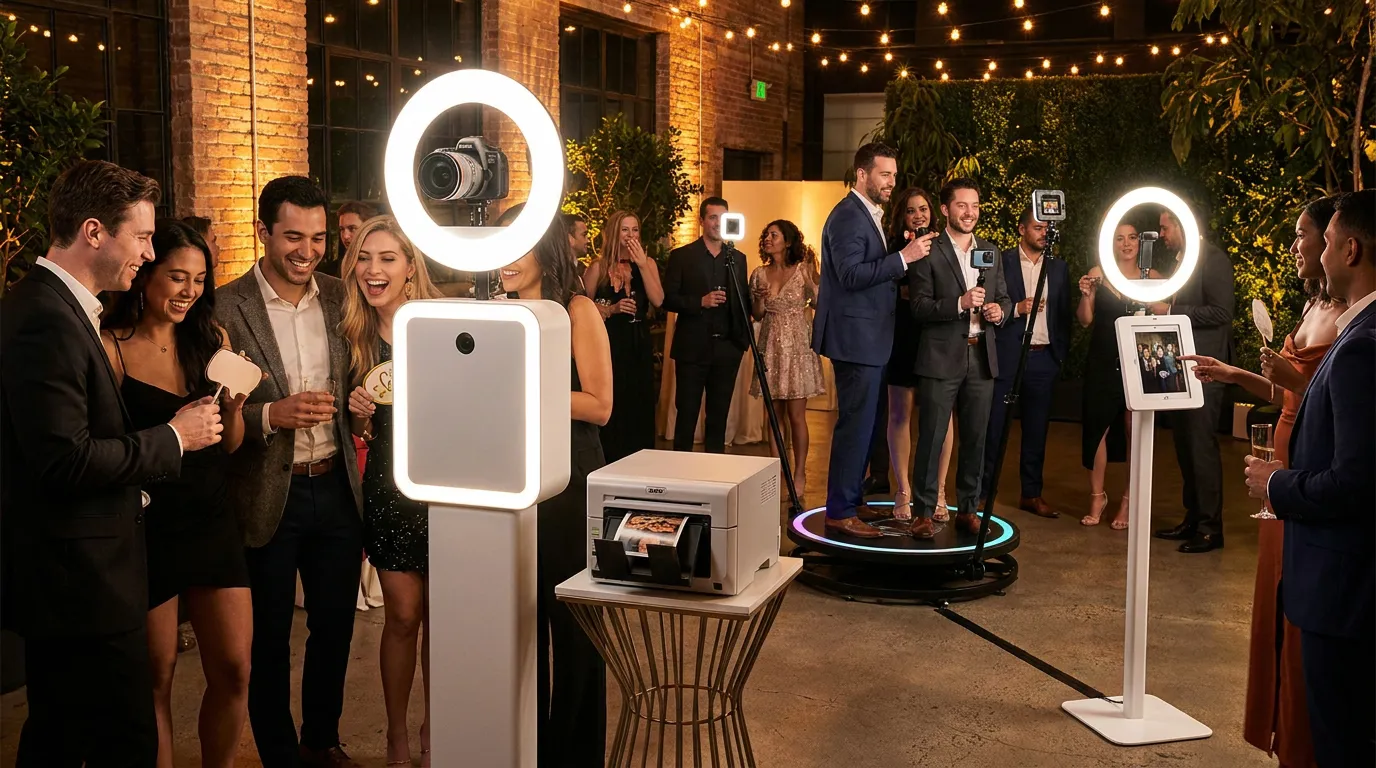
Start with the non-negotiables. You need a capable touchscreen kiosk, a quality camera or DSLR, a printer if you offer prints, and reliable lighting. That is the foundation for almost every event type you will run.
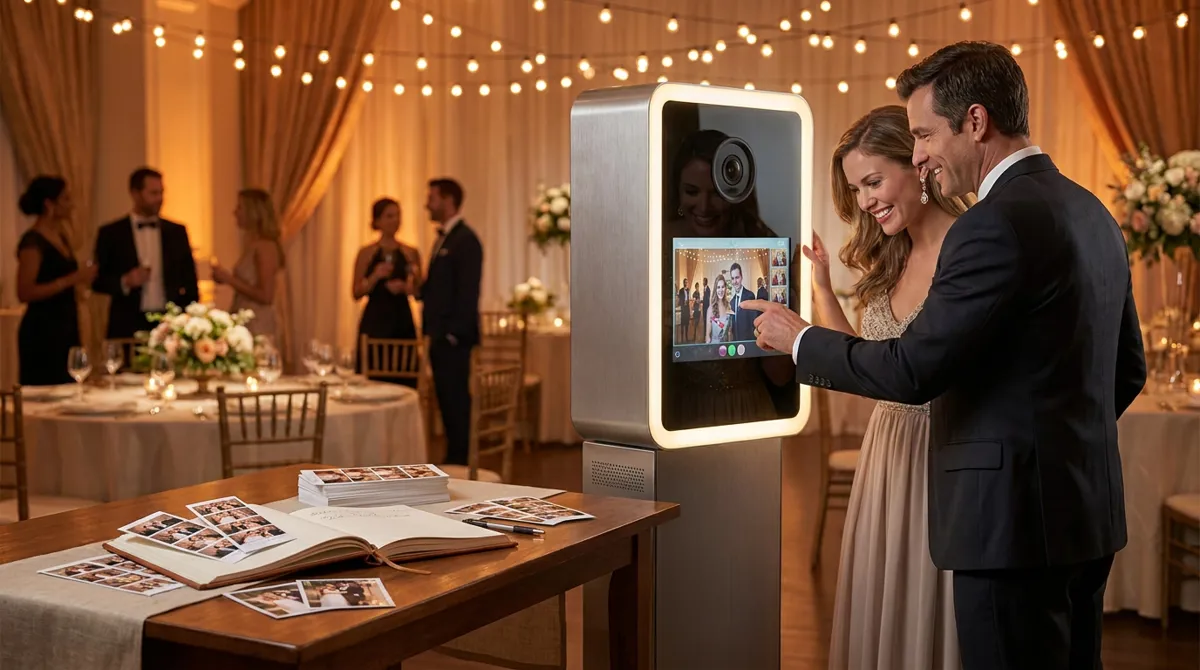
On the kiosk side, a dedicated unit like the Event Photo Booth Pro kiosk gives you a purpose-built 32-inch touchscreen designed for event environments. It handles heat, guest abuse, and outdoor light in ways a repurposed iPad stand simply cannot. Buy this right the first time.
For printing, a DNP or HiTi dye-sub printer in the $1,200 to $2,000 range is standard. Budget for consumables upfront because paper and ribbon costs eat operators who do not plan for them. Lighting is non-negotiable too: a ring light or LED panel kit runs $150 to $400 and transforms photo quality overnight.
Where Operators Overspend: Gear You Can Skip or Downgrade
Expensive backdrops you will use once. A second or third kiosk before your first is fully booked. A dedicated GlamBot arm before you have proven demand for slow-motion at the price point your market supports. These are the traps.
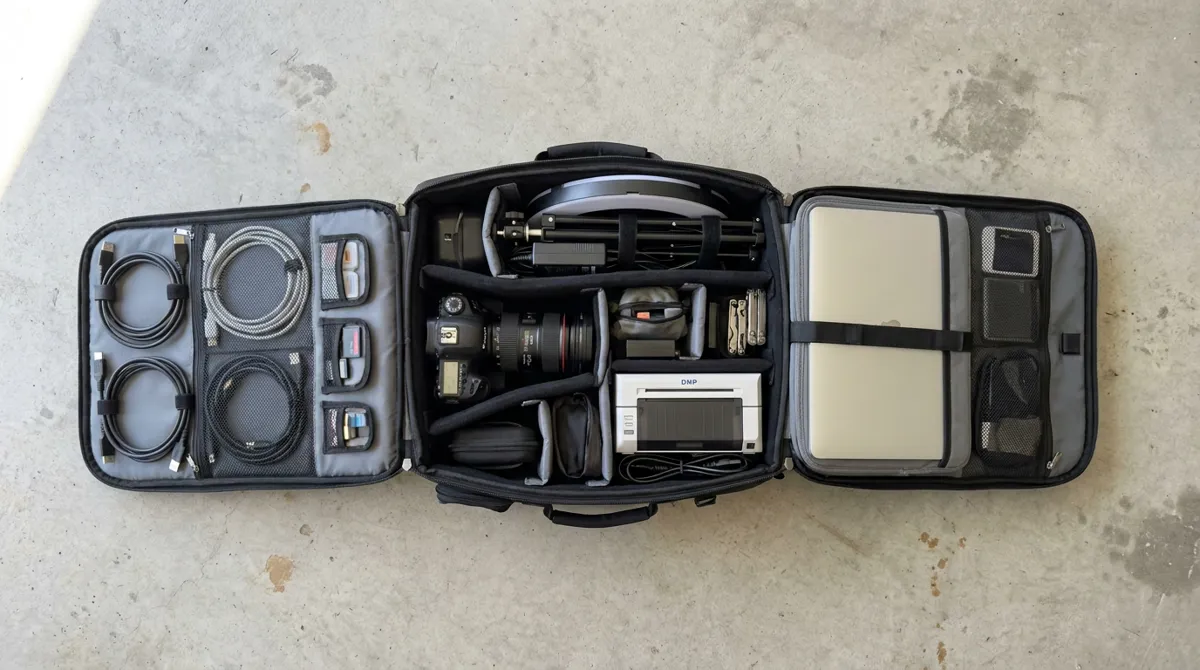
Custom-branded road cases look great on Instagram but add weight and setup time. A quality padded bag does the job for 90 percent of operators. Save the pelican case budget for your second year.
The biggest overspend? Buying separate rigs for separate booth modes. One operator buys a mirror booth, another buys a roamer setup, another buys a dedicated mosaic station. That is three capital investments, three sets of maintenance, and three things to transport. There is a better way.
How Your Software Choice Determines Your Hardware Budget
This is the insight most equipment guides miss entirely. Your software stack dictates how many physical rigs you need. If your software can only run one booth mode, you need one rig per mode you sell. If it runs every mode, one rig covers your whole menu.
AI Photo Booth Pro is built exactly for this. One installation covers standard photo booth, Face Swap, AI Drawing Screen, GIF booth, boomerang, and more. You switch modes per event inside the software, not by swapping hardware.
Try every feature free for 14 days
AI Photo Booth Pro runs every booth mode and AI effect on the equipment you already own. No credit card required.
Start Free TrialThat means the AI Drawing Screen experience your corporate client wants and the mosaic activation from the Photo Mosaic Wall software can both run on your existing kiosk. You are selling variety without buying variety. That is the real ROI conversation on equipment.
Watch the tutorial above to see how fast you can configure and launch an event inside AI Photo Booth Pro. The setup time is the proof point clients never see but operators feel every weekend.
Scaling Up: When to Add a Second Rig vs. a Second Mode
Add a second mode first, always. If you are running 15 events a month and turning down bookings because of date conflicts, then a second physical rig makes sense. Until that point, expanding your service menu with software is pure margin.
A second kiosk makes sense when you are regularly double-booked or when you land a corporate client requiring simultaneous activations at a large venue. Not before. Check the full booths and hardware catalog when you are genuinely ready to scale hardware, not when you are excited about gear.
Build Your Equipment Checklist: From First Booking to Full-Time Business
Here is the practical breakdown for where you are in the business lifecycle.
Starting out (first 10 bookings):
- One dedicated kiosk or sturdy touchscreen setup
- Entry-level dye-sub printer
- Ring light or two-point LED kit
- Two or three quality backdrops in neutral tones
- AI Photo Booth Pro software (from $49/mo, 14-day free trial, no credit card required)
Growing (10 to 40 bookings/month):
- Upgrade to purpose-built kiosk hardware
- Add a faster printer for high-volume events
- Expand backdrop inventory strategically
- Activate additional software modes to raise average booking value
Full-time (40+ bookings/month):
- Second rig only when double-booking costs exceed hardware investment
- Dedicated staff kit with its own peripherals
- Review the help center resources to systemize your event setup process
The operators winning in 2026 are not the ones with the most equipment. They are the ones with the right equipment running the most versatile software stack. Buy smart once, then let your software do the heavy lifting.
Ready to see the numbers?
Plans start at $49/mo and every plan includes the full mode lineup.
See Plans and PricingFAQ
What is the minimum equipment needed to start a photo booth rental business?
At minimum you need a touchscreen kiosk or tablet setup, a camera, lighting, and event software. A printer is expected by most clients but some operators start with digital-only delivery to keep startup costs low while they build a client base.
Can one set of photo booth equipment run multiple booth modes?
Yes, if your software supports it. AI Photo Booth Pro lets one kiosk run standard photos, Face Swap, GIF, boomerang, AI Drawing Screen, and more. You configure the mode per event inside the software rather than buying separate hardware for each experience.
When should I invest in a second photo booth rig?
When you are consistently turning down bookings due to date conflicts and your revenue projections show the second rig pays for itself within six months of realistic booking volume. Before that point, adding software modes to your existing rig almost always delivers better return on investment.