
Co je Sdílecí stanice?
Sdílecí stanice (sdílecí kiosk) je vyhrazený sdílecí prostor, který hostům umožňuje přistupovat k fotografiím a videím vytvořeným na hlavním záznamovém kiosku z jiného zařízení nebo obrazovky.
Prostřednictvím Sdílecí stanice mohou hosté:
- Prohlížet fotografie a videa
- Stahovat obsah pomocí QR kódu
- Sdílet obsah prostřednictvím e-mailu
Na Sdílecí stanici se nepořizují žádné fotografie ani videa.
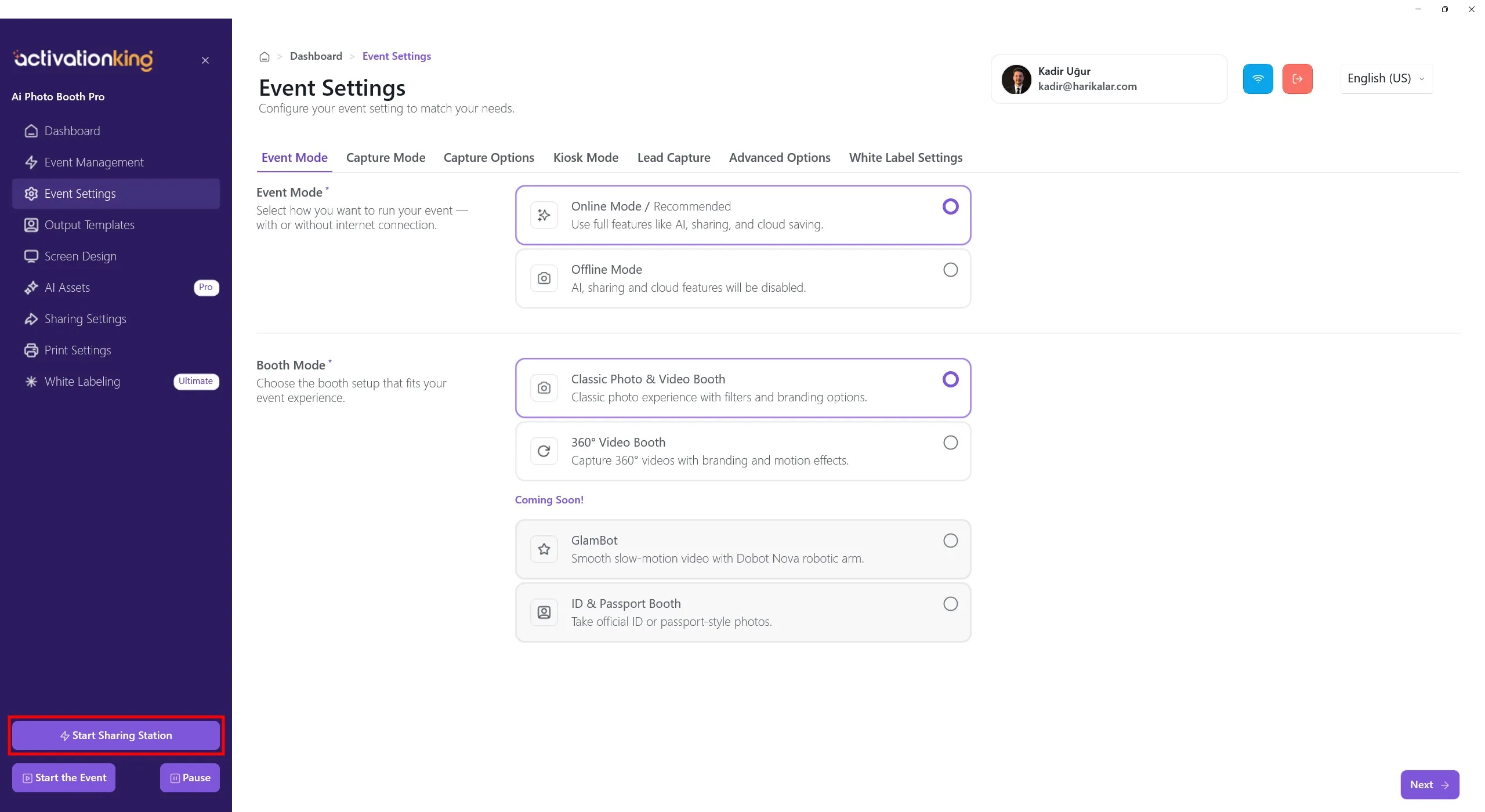
Kde se nachází tlačítko Sdílecí stanice?
Když je software otevřený, bez ohledu na to, na které stránce se nacházíte, je tlačítko Start Sharing Station vždy na stejném místě. Nezáleží na tom, zda jste na Nástěnce, v Nastavení události nebo na jakékoli jiné stránce. Umístění tlačítka Sdílecí stanice je pevné.
Požadavek na připojení k internetu
Důležité: Aby se fotografie a videa zobrazovaly na Sdílecí stanici v reálném čase, je vyžadováno aktivní připojení k internetu.
- Online režim musí být zapnutý
- Pokud není připojení k internetu, obsah se nebude synchronizovat a sdílení pomocí QR kódu a e-mailu nebude fungovat
Při používání Sdílecí stanice se důrazně doporučuje online režim.
K čemu se Sdílecí stanice používá?
Sdílecí stanice je ideální pro následující scénáře:
- Snížení zácpy u hlavního záznamového kiosku
- Umožnění hostům pohodlně procházet své fotografie
- Poskytnutí vyhrazené obrazovky zaměřené pouze na sdílení
- Vytvoření druhého sdílecího místa na velkých akcích
- Zrychlení digitálního přístupu po tisku
Jak Sdílecí stanice funguje?
- Sdílecí stanice nepořizuje fotografie ani videa
- Zobrazuje pouze obsah vytvořený v rámci aktivní události
- Obsah lze sdílet pomocí QR kódu, e-mailu nebo přímého stažení (pokud jsou možnosti sdílení zapnuté)
Důležité informace o licencování
Sdílecí stanice spotřebovává jedno použití licence z vaší aktuální licence.
- Hlavní kiosk: 1 licence
- Sdílecí stanice (druhé zařízení): 1 další licence
Zařízení používané jako Sdílecí stanice musí být rovněž licencováno.
Používání Sdílecí stanice na druhém zařízení
Pro spuštění Sdílecí stanice na druhém zařízení:
- Otevřete software na druhém zařízení
- Přejděte na stránku Správa události
- Importujte událost používanou na hlavním kiosku
- Po načtení události klikněte na Start Sharing Station
Po tomto kroku se fotografie pořízené na hlavním kiosku zobrazí na Sdílecí stanici okamžitě. Je vyžadováno aktivní připojení k internetu.
